
Minesweeper: Find Bombs
Play Count0
Published2026-01-28
Supported DevicesPC + Mobile
CategoryPuzzle & Thinking
Rating★★★★★5.0Rate this game
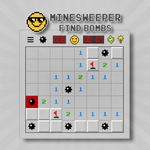
📝Minesweeper: Find Bombs Overview
Sweep the grid one tap at a time, reading numbers like a detective to flag every hidden bomb before a single wrong click ends it all.
💬What is Minesweeper: Find Bombs?
I used to think Minesweeper was just luck with extra steps. Nope. That little '3' in the corner? It's a confession. The numbers are telling you exactly where the mines are hiding — if you're patient enough to listen.
You start with a blank grid. Left click opens a cell. If it's a bomb, game over instantly. If it's a number, that's the count of mines touching that cell (diagonals included). Long press drops a red flag on any cell you're sure is a mine. Clear every safe cell, flag every mine, and you win. Sounds simple. Then you hit a wall of '2's and '1's where two possible squares could each hide the bomb and no logic in the universe can save you. That's when Minesweeper stops being a puzzle and starts being a poker game.
What keeps me coming back is the same thing that's kept this game alive since Windows 95: the rush of clearing a huge chunk with one safe click near the edge, then the slow, careful deduction in the middle. Some rounds you'll chain open forty cells in a row and feel like a genius. Other rounds a random corner guess blows your streak and you just click New Game without even sighing. It's that mix of cold logic and hot adrenaline.
The long press flag mechanic works great on touchscreens, so this version feels natural on a phone or tablet. No menus, no ads, no tutorials nagging you — just the grid and your brain against the minefield. If you've never beaten a board, start with the corners: they have fewer neighbors, so the numbers are easier to read. And remember, a '1' in the corner usually means the corner cell itself is the mine if it's touching only that one unopened square. Small details like that are the difference between clearing the board and cursing at it.
👥How to Play Minesweeper: Find Bombs
HOW TO PLAY
Left Click: Open the cells.
Long Press: Plant / remove a flag.
Goal: Clear the field without hitting a mine!
✨Game Tips
Start with corner cells; they have fewer neighbors, making early deductions much simpler.
Long press to flag every mine you're certain about before clicking anything else.
When you see a '1' touching exactly one unopened square, that square is a mine.
Don't guess until every possible logical move is exhausted — sometimes one freed cell unlocks the whole board.
If you're stuck between two identical-looking squares, just click; the 50/50 is part of the game.
Clear large open areas first by clicking cells with low surrounding mine counts.
🔧FAQ
Q: Is Minesweeper: Find Bombs free to play?
A: Yes, it's completely free in your browser with no downloads or payments required.
Q: Can I play Minesweeper: Find Bombs on my phone?
A: Definitely. The long press flag works great on touchscreens, and the grid scales nicely.
Q: Do I need to install anything to play?
A: No installation needed. Just open the page and start clicking cells.
Q: How do I plant a flag on a suspected bomb?
A: Long press (or right-click on desktop) the cell to place or remove a red flag.
Q: What happens if I click a mine?
A: The board clears and the round ends immediately. Click 'New Game' to try again.
Q: Is there a way to win every time?
A: Not always. Some late-game situations are literal 50/50 guesses, but good logic minimizes them.