
Mini Golf 2D
Play Count0
Published2021-06-05
Supported DevicesPC + Mobile
CategoryArcade & Classic
Rating★★★★★5.0Rate this game
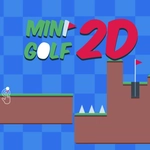
📝Mini Golf 2D Overview
Think you can master a 2D putting green? Drag, release, and watch every slope, bumper, and moving obstacle turn a simple tap into a physics puzzle.
💬What is Mini Golf 2D?
Mini Golf 2D strips the sport down to its purest form: aim, power, and a whole lot of trial and error. You get a fixed camera, a flat but obstacle-laden green, and a mouse (or your finger on touchscreens) to drag back and release. That simplicity is deceptive, though. The ball physics feel weighty, and every slope, bumper, and moving platform reacts exactly how you'd expect—which is why it's so frustrating when your careful putt clanks off a wall and rolls back to your feet.
I spent a good chunk of time on a hole with a looping ramp that kept spitting my ball into a sand trap. The trick? Letting the ball lose just enough speed before the loop so it carried through instead of stalling at the top. That's the kind of micro-adjustment the game rewards. You'll learn to read the green's subtle breaks, to account for momentum on curved banks, and to use the occasional bounce pad as a shortcut rather than a trap.
The 2D view means you're never fighting the camera—you can see the entire hole at once, which actually makes planning your route feel more strategic. There's no timer, no score pressure, just you versus the geometry. It's the kind of game you open for a quick round and end up playing twelve holes later. The difficulty ramps up gradually too, so you won't feel thrown into the deep end. If you enjoy physics puzzles or just want a chill, low-stakes arcade experience with surprising depth, this one's worth your time.
👥How to Play Mini Golf 2D
Use the mouse or touch to interact
✨Game Tips
Watch the slope indicators before every shot—they show exactly how the ball will curve.
Don't max out power unless you need a long carry; softer putts stay on line better.
Use the side walls like pool cushions; a bank shot can bypass a blocker entirely.
Time your stroke on holes with moving obstacles—wait for the gap, then release.
If a ramp keeps sending you backward, try hitting the ball with slightly less speed so it crests the top.
Practice a few safe putts first to feel the green speed; it changes slightly per course.
🔧FAQ
Q: Is Mini Golf 2D free to play?
A: Yes, it's completely free and runs in your browser with no hidden fees.
Q: Can I play Mini Golf 2D on my phone?
A: Absolutely—the touch controls work great on mobile browsers, just drag and release.
Q: Do I need to download anything?
A: No downloads required. It loads instantly as an HTML5 game.
Q: How do I control my putt?
A: Click or tap the ball and drag backward to set power, then release to putt.
Q: Does it have multiple levels?
A: Yes, there are many holes with increasing difficulty, from simple straight putts to complex obstacle courses.
Q: Is there a multiplayer mode?
A: No, it's a single-player game, but you can always pass the device for turn-based play with a friend.