
Mini Tooth
Play Count0
Published2023-07-06
Supported DevicesPC + Mobile
CategoryArcade & Classic
Rating★★★★★5.0Rate this game
📝Mini Tooth Overview
Guide a miniature tooth through spike pits and spinning blades using jumps and teleports — one mistake sends you all the way back to the start.
💬What is Mini Tooth?
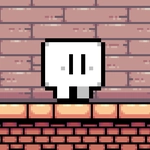
You ever pick up a game thinking it'll be a cozy little platformer and then three minutes later you're muttering at a pixel tooth? That's Mini Tooth. It looks almost cute — a small tooth bouncing along — but the level design is pure old-school arcade brutality. You move left and right, jump, and then there's the Z key: a teleport that instantly drops you elsewhere. The trick? You rarely know exactly where "elsewhere" is until you're already falling into a spike pit. That's not a bug; it's the entire point.
What got me was the rhythm. After a few deaths you start reading jumps two-tenths of a second earlier than you think you need to. There's a section maybe twenty seconds in where a low ceiling forces you to delay your jump while a spinning blade pulses underneath — I must have eaten it fifteen times before I finally threaded the gap with a late teleport. Felt amazing. Then the next room introduced moving platforms and I was back to square one. Restart is R, and yes, you'll use it constantly. Deaths are instant; no lives, no checkpoints.
For an arcade game this is exactly the kind of tiny loop that eats an afternoon. Each run teaches you one more safe spot, one more angle. You won't find upgrades or story. Just you, the tooth, and a level that dares you to hold forward. If you like tough platformers with a small moveset and a big difficulty spike, this one's worth a shot. And remember: teleport isn't a panic button — it's a commitment.
👥How to Play Mini Tooth
Left arrow key = move left
Right arrow key = move right
Up Arrow = jump
Z = teleport
R = restart
✨Game Tips
Treat teleport as a repositioning tool, not a panic button; it can drop you into worse spots.
You can restart with R mid-fall to skip the death animation, faster than waiting.
On jumps with low ceilings, delay your jump until the last pixel to clear blades.
Watch the pattern of spinning hazards before moving — most follow a loop you can learn.
If a section feels impossible, try teleporting through the wall instead of jumping over it.
🔧FAQ
Q: Is Mini Tooth free?
A: Yes, Mini Tooth is completely free to play on this site, no payment required.
Q: Can I play Mini Tooth on mobile?
A: Yes, the HTML5 version works on mobile browsers with touch controls; desktop uses arrow keys and Z.
Q: Do I need to download anything?
A: No download needed. It runs directly in your browser as an HTML5 game.
Q: What does the Z key do?
A: Z triggers a teleport that relocates your tooth instantly, but the destination isn't always visible so use it carefully.
Q: How do I restart quickly?
A: Press R anytime to restart from the beginning instantly — great for fast retries.
Q: Is Mini Tooth very difficult?
A: It's deliberately unforgiving with no checkpoints, but each death teaches you the pattern for the next attempt.