
Minions Memory Match Up
Play Count0
Published2021-10-25
Supported DevicesPC + Mobile
CategoryArcade & Classic
Rating★★★★★5.0Rate this game
📝Minions Memory Match Up Overview
Flip those yellow cards and find the matching Minion pairs before the timer catches up with you.
💬What is Minions Memory Match Up?
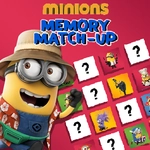
Memory games live and die by their art, and this one leans into Minion chaos. You click a card, it flips to reveal a grinning one-eyed or two-eyed Minion, and then you try to remember where its twin is hiding. The first few rounds feel easy—the grid is small and the little yellow dudes are distinctive enough that you think you've got this. Then the board expands, the cards shuffle, and suddenly you're second-guessing whether that was Bob with the teddy bear or Kevin with the banana.
I've lost runs because I got cocky and stopped paying attention to position. The match-up mechanic is classic concentration, but the Minion faces add a weird layer of misdirection: some of them look so similar at a glance that you'll click the wrong card and curse yourself. The timer pressure ramps up as you clear stages, and there's no penalty for a wrong flip other than wasted seconds—but those seconds matter. My best tip? Don't just react to what you see; narrate each card in your head as you flip it. 'Bob with goggles, top left.' It sounds goofy, but it works when the grid gets crowded.
One thing I noticed: the game doesn't punish you for random clicking early on, but once the timer tightens, a single wasted pair can snowball. The little Minions themselves are drawn with just enough personality that you start to recognize repeats, but the real challenge is remembering positions across a growing field. If you're stuck, try flipping a card you haven't seen in a while—your brain often stores the location even when you think it doesn't.
Overall, it's a solid browser memory game with enough Minion charm to keep you flicking through the deck. Not reinventing the wheel, but sometimes you just want a quick brain workout that feels like a cartoon rather than a spreadsheet.
👥How to Play Minions Memory Match Up
To begin your mission, all you have to do is use your mouse and click on the cards to reveal them! See who's hidden on the other side and make your first two matches! After that, you can move on to more challenging stages!
✨Game Tips
Start with edge cards – flipping corners first reduces the number of possible hiding spots for fresh pairs.
Say each Minion's detail aloud as you reveal it, like “goggles” or “banana,” to anchor it in memory.
Don't rush the first two rounds; build a mental map before the timer gets aggressive.
When similar Minions appear, focus on tiny differences like hair strands or eye count.
If you blank, flip a card you haven't looked at recently – your brain often stored its spot.
Scan in a grid pattern once the board expands, left to right, top to bottom.
🔧FAQ
Q: Is Minions Memory Match Up free to play?
A: Yes, it's completely free in your browser with no hidden charges.
Q: Can I play Minions Memory Match Up on mobile?
A: Yes, the game works on mobile browsers and responds to taps just like mouse clicks.
Q: Do I need to download anything to play Minions Memory Match Up?
A: No downloads required. It runs directly in your web browser using HTML5.
Q: How do I control the game?
A: Use your mouse or finger to click/tap cards and reveal the Minions underneath.
Q: Does Minions Memory Match Up save my progress?
A: Progress is per-session; refreshing the page starts a new game from the first stage.
Q: What age group is Minions Memory Match Up suitable for?
A: The simple matching gameplay suits kids and adults, especially Minions fans of any age.