
Minions Popsy Humanization
Play Count0
Published2021-10-26
Supported DevicesPC
CategoryGirls & Lifestyle
Rating★★★★★5.0Rate this game
📝Minions Popsy Humanization Overview
Ever wondered what a Minion would look like after a full makeover and wardrobe swap? Grab your mouse and find out.
💬What is Minions Popsy Humanization?
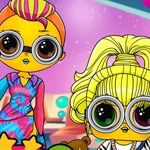
Minions are already weirdly human, but this little makeover game takes that idea and runs with it. You get a yellow Minion face on screen, and your job is to drag, click, and swap features until it looks like an actual person. Skin tone sliders, eye shapes, lipstick shades, brow styles—there's a surprising number of options for such a goofy concept. The first time I tried it, I spent five minutes just changing the eyes because one bad choice made the whole thing look haunted.
Control is dead simple: mouse on desktop, finger on mobile. Tap a category, click an option, and the preview updates instantly. No timer, no score, no way to fail. That's honestly the best part. You can go as messy or as polished as you want. I kept gravitating back to the hair section because some of those wigs are genuinely hilarious on a round yellow head. The cartoon art style keeps everything light and family-friendly, even when you accidentally give your creation a villain's goatee.
If you like dress-up games or just need a few minutes of low-stakes creativity, this one does the job. It won't challenge your reflexes or make you think too hard, and that's exactly why I'd open it again. The loop is short enough to play during a break, but the combinations are varied enough that you'll probably tinker longer than you planned. Just don't expect a gallery—screenshot your final human Minion if you want to keep it.
👥How to Play Minions Popsy Humanization
Mouse and Finger
✨Game Tips
• Start with the eyes—human eye shapes do more for the transformation than any skin tone.
• Don’t skip the skin slider; pale or tan shades read as human way faster than yellow.
• The wig section has hidden gems, so click through every style even the ugly ones.
• Layer accessories like necklaces and glasses to hide the Minion’s round silhouette.
• There’s no undo button, so note which options you pick if you want to backtrack.
• Screenshot your final look—the game doesn’t save your designs automatically.
🔧FAQ
Q: Is Minions Popsy Humanization free?
A: Yes, it's completely free to play in your browser.
Q: Do I need to download anything?
A: No download needed. It runs as an HTML5 game straight from the page.
Q: Can I play on mobile?
A: Yes, touch controls work just as well as a mouse.
Q: What exactly am I supposed to do?
A: Customize a Minion into a human look using makeup, hair, eyes, and outfits.
Q: Is there a time limit or scoring system?
A: No, it's a relaxed creativity game with no fail state.
Q: How do I save my finished character?
A: The game doesn't have a built-in save, so take a screenshot to keep your design.