
Mission to Mars Coloring
Play Count0
Published2019-10-29
Supported DevicesPC + Mobile
CategoryArcade & Classic
Rating★★★★★5.0Rate this game
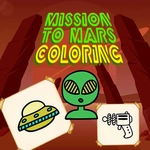
📝Mission to Mars Coloring Overview
Grab your virtual crayons and blast off to the red planet in this chill coloring escape that's perfect for winding down.
💬What is Mission to Mars Coloring?
I wasn't expecting much from a coloring game, but Mission to Mars Coloring hooked me during a late-night break. You get a grid of space-themed line art—astronauts, rovers, craters, that rusty orange horizon—and a surprisingly deep palette. The controls are simple: click a color, click a region, watch it fill. There's something meditative about turning a blank Martian landscape into a neon pink wasteland or keeping it realistic with dusty reds and deep space blues.
The real joy is in the details. Some pages have tiny stars or rover treads that are fiddly to click accurately, and I appreciated the zoom option (it's there—look for the magnifier) when my mouse precision felt shaky. You can also undo a mistake without resetting the whole page, which saved me from rage-quitting after I accidentally turned a satellite dish lime green. If you're on mobile, taps work fine, but I found a mouse gives you more control over those small segments.
This is the kind of game you leave open in a background tab during a boring class or while listening to a podcast. No timers, no scores, just you and the void of space slowly filling with color. It's free, it's unblocked, and it doesn't need a download—just load it up and start painting Mars however you like. I'll probably go back later to finish the rover page I started, because leaving it half-purple would bother me.
👥How to Play Mission to Mars Coloring
Use your mouse to play the game or tap on the screen!
✨Game Tips
Fill the big background areas first, then zoom in for those pesky little stars and antenna lines.
Switch to a brush size that matches the segment—tiny for rover treads, chunky for sky and ground.
Don't be afraid to go weird with colors. A teal Mars actually looks pretty dope.
Hit undo right after a misclick instead of resetting the whole page. It'll only revert that last fill.
Use your mouse rather than touch if you can. Small regions are way easier to hit accurately.
Take a screenshot when you're happy with a page. The game doesn't auto-save your finished art.
🔧FAQ
Q: Is Mission to Mars Coloring free?
A: Yes, it's completely free to play in your browser. No hidden fees or subscription needed.
Q: Can I play Mission to Mars Coloring on my phone?
A: Yes, it works on mobile browsers. Just tap the screen to select colors and fill areas.
Q: Do I need to download anything to play?
A: No download required. It runs directly in your web browser as an HTML5 game.
Q: Does Mission to Mars Coloring work on school Chromebooks?
A: Usually yes, since it's browser-based and unblocked. If your school blocks game sites, try a mirror.
Q: Is there an undo button if I color the wrong section?
A: Most versions include an undo option. Look for a curved arrow icon near the top toolbar.
Q: Can I save or print my finished coloring pages?
A: The game doesn't have a built-in save, but you can take a screenshot or use your browser's print function.