
Modern Commando Combat
Play Count0
Published2020-07-02
Supported DevicesPC
CategoryAction & Fighting
Rating★★★★★5.0Rate this game
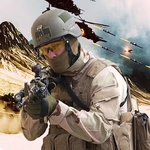
📝Modern Commando Combat Overview
Drop into a dusty warzone, duck behind sandbags, and pray your aim is faster than the guy across the street.
💬What is Modern Commando Combat?
I've sunk a few hours into shooting gallery-style FPS games, and Modern Commando Combat scratches that itch without making you memorize twelve keybinds. You spawn in a compact urban map, rifle already in hand, and the moment you step past the first sandbag wall, you realize the AI isn't messing around. They'll flank you if you camp too long. I died maybe four times before I learned to tap the crouch key and strafe instead of standing still like a target dummy.
The movement is surprisingly tight for a browser game. WASD or arrows to move, left click to fire, X to crouch, R to reload, M to bring up the map. That map is a lifesaver because the enemy positions are marked — but only if you remember to check it before turning a corner. I kept forgetting and eating bullets. The gunplay feels punchy enough: each shot kicks the camera slightly, and reloading forces you to pick your moment. There's no sprint, so you can't panic-run away from a bad push. You have to think two steps ahead.
The graphics are simple but clean, leaning on that military-shooter aesthetic you've seen in older flash games. Not going to blow anyone's mind, but the frame rate stays smooth even with several enemies firing at once. If you want a quick, no-nonsense combat loop that respects your time, this one's worth a lunch break. Just don't ignore the crouch key — I learned that the hard way.
👥How to Play Modern Commando Combat
Use WASD or arrow keys -> Player movement
M Key -> show/Hide Map
Left Mouse -> Fire
X Key -> Crouch
R Key -> Reload Gun
✨Game Tips
That map toggle? Use it constantly — enemy dots show through walls and it costs nothing to glance.
Crouch behind cover while reloading, never out in the open where a stray bullet ends the run.
Strafe side to side while firing instead of standing still; the AI leads their shots on stationary targets.
Before rounding a corner, check the map to set your angle, not after you've already committed.
Tap fire at mid-range rather than holding the trigger — your aim stays far steadier and you waste less ammo.
Spam the X key in firefights; crouching shrinks your hitbox and throws off their aim.
🔧FAQ
Q: Is Modern Commando Combat free?
A: Yes, it's completely free to play in any browser with no hidden costs or account required.
Q: Can I play Modern Commando Combat on mobile?
A: The game is built for keyboard and mouse, so mobile touch controls aren't supported. Best played on desktop.
Q: Do I need to download anything?
A: No downloads needed. It runs directly in your browser as an HTML5 game.
Q: What are the controls for Modern Commando Combat?
A: WASD or arrows to move, left click to fire, X to crouch, R to reload, and M toggles the map.
Q: Does Modern Commando Combat have multiplayer?
A: No, it's a single-player game where you fight AI-controlled enemies in each map.
Q: Is this game unblocked at school?
A: Since it's an HTML5 game, it often bypasses school blocks if your network allows browser games.