
Momo Horror Story
Play Count0
Published2019-11-13
Supported DevicesPC
CategoryAction & Fighting
Rating★★★★★5.0Rate this game
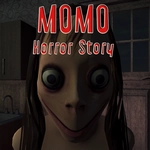
📝Momo Horror Story Overview
Grab your flashlight, keep your gun loaded, and pray the lights don't flicker out as Momo stalks these bloodstained hallways.
💬What is Momo Horror Story?
Momo Horror Story drops you into a grimy, dimly lit hospital with nothing but a flashlight, a pistol, and the creeping certainty that something is watching. The setup feels familiar if you've played any first-person horror shooter, but it's the oppressive atmosphere that got me — the distant clang of metal, the way your footsteps echo too loudly, and those occasional glimpses of Momo's twisted face just at the edge of your light. You'll move through corridors, unlock doors with F, and search for keys or switches while managing limited ammo.
The moment I won't forget: I was reloading in a narrow hallway when I heard breathing behind me. I spun, right-clicked to aim the flashlight, and caught Momo mid-lunge. Left-click to attack, click-click-click — three shots and she staggered back, but I'd already wasted too many rounds. That's the tension of Momo Horror Story: you're never comfortable. Grenades (G) clear groups, but they're scarce. Running (Left Shift) drains stamina fast, so you can't just sprint through every room. Switching weapons with the mouse wheel feels clunky at first, but that's part of the horror — you'll fumble exactly when you need to be quick.
Is it worth your time? If you like survival horror with actual gunplay, yes. It's not the longest game, and the graphics are basic, but the lighting and sound design punch above their weight. I'd suggest keeping your flashlight off when you're safe — Momo seems to react to light and sound. Also, always check behind you after opening a door. This unblocked version runs smooth in a browser, no download needed, which is perfect for a quick scare at school or work (though maybe turn the volume down).
👥How to Play Momo Horror Story
W A S D to walk around
Mouse to Look around
Left Mouse Button to Attack
Right Mouse Button to Switch Flashlight and Aim
Mouse Wheel To Change Weapons
G for Grenades
R to Reload
F to Interact
Left Shift to Run
Left CTRL
✨Game Tips
Conserve ammo: aim for the head when Momo gets close.
Turn off your flashlight in open areas to avoid drawing her attention.
Use grenades (G) only when you see two or more enemies clustered.
Memorize key item locations — backtracking wastes time and stamina.
Reload (R) before entering any new room, not during a fight.
Listen for audio cues: heavy breathing means she's nearby.
🔧FAQ
Q: Is Momo Horror Story free to play?
A: Yes, it's completely free in your browser. No paywalls or hidden fees.
Q: Can I play Momo Horror Story on mobile?
A: The game is designed for keyboard and mouse, so mobile may not work well. A desktop or laptop is recommended.
Q: Do I need to download anything to play?
A: No download required. It runs directly in your web browser as an HTML5 game.
Q: What are the controls for Momo Horror Story?
A: WASD to move, mouse to look, left click to attack, right click to aim/flashlight, R to reload, G for grenades, F to interact, Shift to run.
Q: Is Momo Horror Story very scary?
A: It has intense horror atmosphere, sudden scares, and gore. Not recommended for young kids or the easily startled.
Q: Can I play Momo Horror Story at school or work?
A: Yes, it's unblocked and browser-based. Just keep the volume low or use headphones to avoid disturbing others.