
Moto Bike Extra
Play Count0
Published2022-03-04
Supported DevicesPC
CategoryArcade & Classic
Rating★★★★★5.0Rate this game
📝Moto Bike Extra Overview
Strap in for dusty jumps, wild flips, and split-screen chaos—Moto Bike Extra is the kind of arcade racer that makes you yell at your friends.
💬What is Moto Bike Extra?
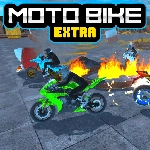
Moto Bike Extra feels like a lost flash classic from the early 2000s—in the best way. You blast through obstacle courses, launch off ramps, and try to finish stages without eating dirt. The physics are deliberately loose and bouncy, so every jump can either be a graceful backflip or a catastrophic faceplant. That unpredictability is what keeps each run tense. I found myself replaying the same level three times just to nail a clean landing after a double backflip.
The controls are simple but have just enough depth. Arrow keys or WASD handle acceleration and leaning, spacebar snaps the handbrake for tight turns or mid-air rotation control, and N triggers a nitro burst that feels genuinely explosive. C toggles the camera, which helps when you're lining up a tricky descent. One small trick I learned: tap the handbrake right as you leave a ramp to pull the front wheel up—you'll rotate faster and can salvage what would otherwise be a flat crash.
Two-player split-screen is where this game really shines. Player one uses arrows, player two uses WASD, and suddenly you're shoulder-checking your roommate to steal the nitro boost. It's not a deep sim by any stretch, but as a pick-up-and-play arcade racer, it nails the fun factor. If you're after a quick adrenaline hit or a reason to trash talk a friend on the couch, this is your game.
👥How to Play Moto Bike Extra
How to play the Moto Bike Extra ?
Player 1:
Drive: "ARROW KEYS" or "WASD"
Nitro-Shift: "N"
Camera View: "C"
Handbrake : "Space bar"
Player 2:
Drive: "WASD"
Nitro-S
✨Game Tips
Use the handbrake right before a jump to pop the front wheel and control flips.
Save nitro for straightaways—don't burn it mid-air unless you want to overshoot.
Switch camera with C when approaching steep descents to avoid blind spots.
In two-player, focus on blocking the other rider's line instead of pure speed.
Practice backflip timing on early levels before attempting them on later obstacles.
Tap the handbrake in mid-air to level out and land cleanly.
🔧FAQ
Q: Is Moto Bike Extra free to play?
A: Yes, it's completely free in your browser—no hidden fees or subscriptions.
Q: Can I play Moto Bike Extra on my phone?
A: It works on mobile browsers, but it's best on desktop with a keyboard for two-player controls.
Q: Do I need to download anything to play Moto Bike Extra?
A: No downloads required. Just open the game page and it runs instantly in your browser.
Q: How do I activate nitro in Moto Bike Extra?
A: Press N (Player 1) while riding to get a speed boost. Use it on straights or before big jumps.
Q: Can I play Moto Bike Extra with a friend?
A: Yes, two players can share the keyboard—Player 1 uses arrows, Player 2 uses WASD.
Q: What's the handbrake for in Moto Bike Extra?
A: Tap Space to drift or rotate in the air. It's essential for controlling flips and tight corners.