
Mouse Key
Play Count0
Published2020-02-03
Supported DevicesPC + Mobile
CategoryAction & Fighting
Rating★★★★★5.0Rate this game
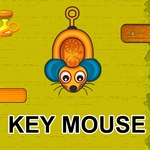
📝Mouse Key Overview
Guide a skittish little mouse through dangerous rooms by tapping direction points before it runs headfirst into a trap.
💬What is Mouse Key?
Some games try to be clever with their controls and end up feeling like you're solving a puzzle just to move. Mouse Key keeps it brutally simple: tap a point, and your mouse bolts straight for it. That sounds easy until the room fills up with snapping traps, patrolling cats, and corners that punish even a half-second of hesitation. I found myself tapping too far ahead, watching the little guy scamper face-first into a wall while the cheese sat two inches away.
The genius is in how the movement forces you to plan two or three taps ahead. You can't curve or cancel mid-run; once that mouse commits, it's all momentum. I got my best runs by tapping small, safe nodes near walls instead of trying to skip across open space. Every level ratchets up the tension by tightening those windows. One moment that stuck with me: a narrow zigzag hallway where three taps in a row had to be nearly frame-perfect. The mouse made it through by a whisker. Literally.
Don't expect a story or cutscenes. What you get is a razor-thin reaction challenge that respects your time and destroys your patience in the best way. If you've got five minutes and want to test how fast your fingers really are, this scratches that itch. And yes, it's fully playable with just a mouse or touchscreen — no keyboard gymnastics required.
👥How to Play Mouse Key
Touch or click the points on the screen, the mouse will move in that direction.
✨Game Tips
- Tap corners, not open spaces, to keep the mouse from overshooting.
- Wait half a beat after a trap snaps shut before sending the mouse through.
- Don't spam taps; the mouse commits to the last point, so pick deliberately.
- On maze-like levels, hug the walls and use single-node moves.
- If a cat is patrolling, time your clicks for when it turns away.
- Save the obvious cheese for last if it leaves you exposed near a hazard.
🔧FAQ
Q: Is Mouse Key free?
A: Yes, it's completely free to play in your browser with no paywalls or hidden fees.
Q: Can I play Mouse Key on my phone?
A: Definitely. The tap-to-move controls feel natural on touchscreens, so mobile works great.
Q: Do I need to download or install anything?
A: No. It runs right in your web browser as an HTML5 game – just open and play.
Q: How do I control the mouse?
A: Click or tap the glowing points on the screen, and your mouse will scurry toward that direction.
Q: What's the objective in Mouse Key?
A: Reach the end of each level, collect cheese and other pickups, and avoid traps, cats, and walls.
Q: Is Mouse Key hard?
A: It starts gentle, but later levels demand quick reflexes and smart path planning.