
Move Down
Play Count0
Published2021-06-10
Supported DevicesPC + Mobile
CategoryArcade & Classic
Rating★★★★★5.0Rate this game
📝Move Down Overview
Dodge, weave, and plummet through a maze of moving walls — how far down can you go before you splat?
💬What is Move Down?
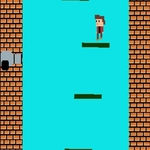
I didn’t expect much from a game called Move Down, but fifteen minutes later I was still muttering 'one more run' at the screen. The premise is stupid simple: you’re a little shape falling through an endless shaft, and the walls keep closing in from both sides. Your job is to not touch them. That’s it. But the speed ramps up fast, and soon the gaps are barely wider than your cursor. I found myself leaning sideways in my chair, which my roommate found hilarious.
The controls are minimal—mouse steers your falling avatar left and right, while the keyboard gives you a tiny extra nudge or a quick pause when you need to re-center. It sounds too easy, and for the first ten seconds it is. Then the patterns start: walls shift diagonal, pillars slide in from nowhere, and there’s this one enemy block that deliberately waits until you’re committed before darting across your path. The sound design is subtle but crucial. The background hum changes pitch right before a speed-up, and that’s your cue to inhale. I died at 47 meters, then 52, then 89, and I was genuinely angry at the 90-meter wall that ended my best run. That’s the sign of a solid arcade time-waster: it makes you care about a number that means nothing.
Honestly, Move Down isn’t trying to be anything more than a quick reflex test, and that’s fine. It loads instantly, runs smooth even on a crummy school laptop, and the restart button is basically a taunt because you’ll click it before the death animation even finishes. If you’re the kind of player who chases high scores on games like Slope or Geometry Dash lite, this will scratch that same itch without eating an hour. Just don’t blame me when your hand cramps from gripping the mouse too hard.
👥How to Play Move Down
Use Mouse To Play and Keyboard
✨Game Tips
Keep your eyes on the gap ahead, not on your falling shape. Your cursor position matters less than what’s coming next.
If you overshoot a narrow gap, tap the keyboard nudge key instead of dragging — it’s a smaller adjustment and won’t send you careening into the other wall.
The center of the shaft is usually safer than the edges. Walls like to spawn from the sides, so staying middle gives you time to react both ways.
Listen for the pitch change in the background music. It means the game is about to speed up, and you should already be heading toward an open path.
On a trackpad, lower your mouse sensitivity before playing. The default can make your cursor jump half the screen, which is a death sentence at higher speeds.
🔧FAQ
Q: Is Move Down free?
A: Yes, Move Down is completely free to play in your browser with no paywalls or hidden purchases.
Q: Can I play Move Down on my phone?
A: It works best with a mouse and keyboard, but most mobile browsers will let you tap and drag instead.
Q: Do I need to download anything to play Move Down?
A: No downloads needed. Just open the game page in any modern browser and start playing instantly.
Q: What are the controls for Move Down?
A: Use your mouse to steer and the keyboard keys for extra moves like speed control or pauses.
Q: Is Move Down unblocked on school WiFi?
A: Yes, it's hosted on unblocked games sites so it usually bypasses school filters without a VPN.
Q: How do I restart quickly after losing?
A: Press the R key or just click the restart button that appears after a crash to jump back in.