
My Burger Shop 2
Play Count0
Published2022-09-01
Supported DevicesPC
CategoryArcade & Classic
Rating★★★★★5.0Rate this game
📝My Burger Shop 2 Overview
Can you stack a triple-decker with extra pickles while the drive-thru timer ticks down? My Burger Shop 2 throws you into a kitchen where every second sizzles.
💬What is My Burger Shop 2?
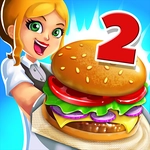
My Burger Shop 2 drops you behind the counter of a no-frills burger joint and then immediately cranks up the heat. Orders slide in from the left, each one a little stack of icons telling you exactly what to grab: bun, patty, lettuce, tomato, cheese, maybe a splash of ketchup. You're the cook, the assembler, and the cashier all at once. I kept misplacing the pickles under the cheese for the first few rounds — turns out the order matters just as much as the ingredients. The mouse does everything: click to grab, click to slap it on the bun, click to wrap it up and shove it across the counter before the customer's patience meter empties.
What starts as a relaxed afternoon shift quickly turns into a frantic symphony of clicking. By level three, the queue stretches past the screen and the orders stack up like a bad day at the drive-thru. There's a strange satisfaction in nailing a perfect sequence — bun, patty, cheese, lettuce, tomato, wrap — without looking at the ticket again. But then someone wants a double with no onions, and the whole rhythm collapses. That's the hook: you're not just memorizing recipes, you're managing chaos. The game keeps the art simple and the interface clutter-free, so all the tension comes from the timer, not confusing menus.
For a free browser game, My Burger Shop 2 has surprisingly decent legs. I'd clear a few levels, tell myself one more, then notice thirty minutes had vanished. It's not a deep simulation — you won't be sourcing beef or balancing a budget — but as an arcade-style reflex test with a fast-food skin, it delivers. The difficulty curve is fair but sneaky: new ingredients appear gradually, so you always feel like you're one slip away from a burnt burger. If you've ever wanted to know whether you could survive a lunch rush with just a mouse and a dream, this is your answer.
👥How to Play My Burger Shop 2
Mouse Controls
✨Game Tips
- Memorize the core burger build order first.
- Click ahead of the queue, don't wait for the current order to finish.
- Serve customers with low patience meters first, even if their order is simpler.
- Don't wrap until every requested topping is on the bun.
- If you mess up, keep going; a late burger beats a lost customer.
- Keep your cursor near the wrapping station when the order is close to done.
🔧FAQ
Q: Is My Burger Shop 2 free to play?
A: Yes, it's completely free in your browser with no hidden payments.
Q: Do I need to download anything to play My Burger Shop 2?
A: No downloads needed. It runs on HTML5, so just open the page and play.
Q: Can I play My Burger Shop 2 on my phone?
A: The game uses mouse controls, so it's best on desktop. Some mobile browsers may work with taps.
Q: What are the controls for My Burger Shop 2?
A: You only need your mouse or trackpad. Click ingredients to build burgers, then click to serve.
Q: Is there a time limit or do customers wait forever?
A: Each customer has a patience meter. If it empties, they leave, and you lose points.
Q: Will my progress be saved if I close the tab?
A: Your level progress usually saves automatically in your browser, but clearing cookies may reset it.