
My Pets
Play Count0
Published2024-01-30
Supported DevicesPC + Mobile
CategoryArcade & Classic
Rating★★★★★5.0Rate this game
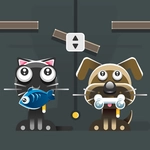
📝My Pets Overview
Think you can keep a digital pet alive and happy without forgetting a single feeding or bath? Grab your mouse and find out.
💬What is My Pets?
My Pets is a throwback to the days when virtual pets lived on your desktop and you'd sneak a click during class. You start by choosing a pet — a cat, a dog, maybe something fluffier — then it's just you, a few buttons, and a creature that relies on you not to mess up. Feed it when the hunger bar dips. Scrub it in the bath when it starts to smell. Toss a toy across the room and watch it scamper after it, tail wagging like a metronome. It's simple, but the loop hooks you faster than you'd expect.
The real charm is how alive the little thing feels. Miss a meal and it'll slink over to the corner with droopy ears. Give it a treat right after a bath and it'll do a happy little spin. I once left my dog alone for two minutes to grab water, came back, and found it had knocked over the food bowl — pixels everywhere. That's the kind of tiny, unscripted nonsense that makes you want to keep the tab open. There's no timer pushing you, no end screen, just a low-stakes routine that's weirdly calming after a long day.
If you're looking for something to zone out with between classes or while waiting for a download, My Pets nails that cozy arcade niche. It won't stress your reflexes or demand a spreadsheet. Just point, click, and keep the little gremlin happy. It's the kind of game you open for five minutes and suddenly realize an hour's gone.
👥How to Play My Pets
Mouse click or tap to play
✨Game Tips
- Watch the hunger bar first — a full pet is a happy pet, and everything else comes second.
- Click the toy and drag it around the room; some pets chase faster if you wiggle the cursor.
- Don't ignore the bath button for too long, or you'll get muddy paw prints you have to clean up.
- If your pet starts sulking in the corner, try feeding it a treat before anything else.
- The poop icon appears only after a few feedings, so clean it immediately to avoid stink lines.
- Keep the game in a corner tab and check every couple minutes; it's more forgiving than a real Tamagotchi.
🔧FAQ
Q: Is My Pets free to play?
A: Yes, it's completely free in your browser with no paywalls.
Q: Can I play My Pets on my phone?
A: The game works on mobile browsers with tap controls, though a larger screen is nicer.
Q: Do I need to download anything to play My Pets?
A: No downloads. Just open the page and start clicking.
Q: What pets can I choose in My Pets?
A: You'll typically get a cat, a dog, and sometimes a few surprise animals.
Q: Does My Pets save my progress automatically?
A: It usually saves in your browser cache, but closing the tab may reset your pet's mood.
Q: Is there a way to pause or mute My Pets?
A: Most versions have a sound toggle in the corner if the barks get too loud.