
My Sliding Blocks
Play Count0
Published2023-10-03
Supported DevicesPC + Mobile
CategoryArcade & Classic
Rating★★★★★5.0Rate this game
📝My Sliding Blocks Overview
That scrambled tile grid looks simple until you're three moves deep and realize you've boxed yourself into a corner.
💬What is My Sliding Blocks?
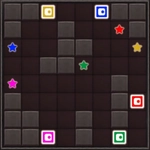
My Sliding Blocks drops you into a scrambled grid of tiles with one empty spot. It's the kind of puzzle that looks almost too easy at first — just slide tiles around until the picture or numbers line up. But the moment you move one piece, you realize every slide has a ripple effect. The tile you just freed now blocks the one you actually needed. That simple mechanic is the whole game, and it's more than enough to keep you hooked. I like that there's no timer, no punishing lives; it's just you against a board that quietly resists being solved.
The controls are dead simple: click or tap a tile next to the empty space and it slides over. That's it. But planning is where the depth lives. You're not just moving blocks — you're managing the empty space like a resource. Get a tile stuck behind three others and you'll spend five moves unpicking your own mess. I kept finding myself muttering "okay, if I go left, then up, then... no, that blocks the corner." The classic top-row-first strategy works here, but the game rewards anyone willing to think two or three moves ahead. Sometimes the best move is the one that looks like a step backward.
The visual is clean and low-friction, which makes it perfect for quick sessions between other stuff. No ads screaming at you, no gimmicks — just a pure sliding puzzle that still has that old arcade-cabinet brain-teaser feel. If you grew up with those plastic number-slide toys, this will hit a nostalgic nerve. And because it runs right in a browser, you can pull it up on a phone on the bus or on a school computer during a break. It's not flashy, but it doesn't need to be. The satisfaction of sliding the final tile into place is worth more than any graphic effect.
👥How to Play My Sliding Blocks
Mouse click or tap to play
✨Game Tips
Solve the top row first, then the left column — locking those in stops the board from shifting unpredictably.
Keep the empty space near the tiles you're working on; chasing it around wastes moves.
Plan two or three slides ahead, especially when you have to move a tile backward to free another.
If the bottom row gets messy, don't be afraid to reset — sometimes a clean start beats untangling a bad sequence.
Use the corners as holding spots for tiles you don't need yet.
The last two tiles in a row often swap weirdly; leave a two-space gap and rotate them into place.
🔧FAQ
Q: Is My Sliding Blocks free to play?
A: Yes, it's completely free in your browser with no hidden costs.
Q: Do I need to download anything?
A: No downloads or installs needed. It runs directly as an HTML5 game.
Q: Can I play My Sliding Blocks on my phone?
A: Yes, tap controls work on mobile and tablet browsers.
Q: What's the goal of the game?
A: Slide the tiles around until they form the correct picture or number order.
Q: Are there different difficulty levels?
A: Many versions offer different board sizes from 3x3 to 5x5 or larger.
Q: Is My Sliding Blocks unblocked at school?
A: It's hosted on an unblocked games site, so it usually works on school networks.