
Mystic Quest
Play Count0
Published2024-09-20
Supported DevicesPC + Mobile
CategoryPuzzle & Thinking
Rating★★★★★5.0Rate this game
📝Mystic Quest Overview
Got a knack for spotting hidden words? Mystic Quest turns a simple word search into a strangely satisfying brain workout.
💬What is Mystic Quest?
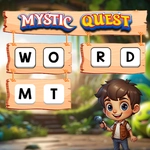
Word games usually put me to sleep, but Mystic Quest has a weird pull. The grid glows softly, the letters aren't cramped, and the moment you drag from one tile to the next, a little trail follows your finger (or mouse) like you're tracing a spell. That's the whole hook, really: find every hidden word in the list, one by one, before your brain starts second-guessing itself. Some words hide in plain sight while others snake backwards or diagonal, just to keep you honest.
The controls couldn't be simpler—tap and drag on a touchscreen or click and drag with a mouse. No timers, no lives, no penalty for guessing wrong, which makes it a proper chill-out puzzle. I found myself zoning out for ten minutes at a time, chasing the next word like a weird scavenger hunt. If you're stuck, squint at the corners; that's where the tricky ones camp out. It's the kind of game that feels easy until you miss a four-letter word hiding across the third row.
For a game this simple, Mystic Quest gets the difficulty curve right. Early boards are gentle—short words, mostly horizontal and vertical—but later grids throw in longer terms and criss-crossing patterns that mess with your scanning rhythm. I've replayed a board just to confirm I'm not losing it when 'quartz' is spelled backwards down the left edge.
👥How to Play Mystic Quest
How to play:
Android: Use On-Screen touch buttons to find the words.
PC: Use Mouse Left Click to find the words.
✨Game Tips
Start by scanning the first and last rows; backward words love to hide there.
Drag a little slower than feels natural—the trail resets if your finger or mouse jumps a tile.
If you're stuck on a long word, look for its first letter then test all eight directions from that tile.
Don't ignore diagonal paths; some boards place over half the words diagonally.
Use the word list length as a clue: shorter lists mean longer, trickier words are in the grid.
🔧FAQ
Q: Is Mystic Quest free?
A: Yes, it's completely free to play right in your browser.
Q: Can I play Mystic Quest on my phone?
A: Yes, the touch controls work on Android and iOS browsers.
Q: Do I need to download anything?
A: No download needed—just open the game page and start finding words.
Q: What if I get stuck on a word?
A: Try looking at the last letters or scan diagonally; hints aren't always available.
Q: Does Mystic Quest have a timer?
A: No, there's no time limit, so you can relax and solve at your own pace.
Q: Is there a way to reset a board?
A: Usually you can tap or click outside the grid to deselect a word you started dragging.