
Need For SuperCars Speed
Play Count0
Published2022-01-24
Supported DevicesPC
CategoryDriving & Racing
Rating★★★★★5.0Rate this game
📝Need For SuperCars Speed Overview
Slam the throttle in a souped-up supercar and see if you can hold the racing line without wrapping yourself around a lamppost.
💬What is Need For SuperCars Speed?
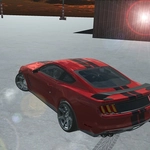
Right off the bat, this isn't a delicate sim. You mash W and the engine note climbs like a startled animal while the speedometer needle tries to escape its housing. The city streets are wide, the traffic is dense enough to punish lazy steering, and every corner feels like a dare. I spent my first few runs learning the hard way that the space bar handbrake is not a suggestion — hit it too early into a hairpin and you'll be admiring the nearest building from the wrong side of the windshield.
The controls are deliberately old-school: WASD for gas and steering, S to scrub speed, F for a nitrous hit that shoves you into the seat (or your keyboard tray, same thing), B to flip the camera behind, Tab for the menu. There's no tutorial holding your hand, which I appreciate, but it does mean your first minute is a crash course in momentum. The nitrous, though — that's the hook. Save it for a long straight and you'll overtake three cars with room to spare; waste it into a chicane and you'll be scraping paint off a bus stop.
What kept me coming back wasn't the win screen, it was the near misses. Threading between a truck and a taxi at 180 km/h, tapping the handbrake just enough to rotate the rear, then snapping the nose straight with a quick countersteer — that's the feeling the game is selling. It's not polished to a AAA shine, but it's honest arcade fun. Just remember: 'b' is your friend when you suspect a cop car — I mean, a rival — is glued to your bumper.
👥How to Play Need For SuperCars Speed
"wasd" = drive
"s" = brake
"b" = show back
"f" = nos
"space" = handbrake
"tab" = menu
✨Game Tips
Feather the throttle through corners instead of holding W — full send will spin you out.
Use nitrous on straightaways only; hitting it mid-turn is a fast way to kiss a wall.
Tap the spacebar for a quick handbrake tap, don't hold it or you'll loop the car.
Hit B to check your rear bumper before cutting across traffic.
Start with a slower car if the first one feels too loose; upgrade when you can handle it.
Treat traffic as moving obstacles, not scenery — their brake lights mean they're slowing for a reason.
🔧FAQ
Q: Is Need For SuperCars Speed free to play?
A: Yes, it's completely free in your browser with no paywalls or demo limits.
Q: Can I play Need For SuperCars Speed on mobile?
A: No, the keyboard controls require a desktop or laptop browser.
Q: Do I need to download or install anything?
A: No downloads needed. The game runs directly in your web browser as HTML5.
Q: How do I use the nitrous boost?
A: Press F during gameplay. Save it for straight roads to avoid spinning out.
Q: What does the B key do?
A: It switches the camera to a rear view so you can check your six before overtaking.
Q: Can I play Need For SuperCars Speed offline?
A: No, you need an internet connection since it loads in a browser page.