
Next Gen Jigsaw Puzzle
Play Count0
Published2022-07-22
Supported DevicesPC + Mobile
CategoryFun & Crazy
Rating★★★★★5.0Rate this game
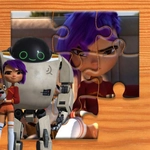
📝Next Gen Jigsaw Puzzle Overview
Drag scattered shards into place and watch a pixel-perfect image snap together—next-gen jigsaw hits different.
💬What is Next Gen Jigsaw Puzzle?
Puzzles are supposed to be relaxing, but Next Gen Jigsaw Puzzle keeps sneaking that one edge piece behind your cursor when you least expect it. You get a clean board, a tray of scrambled fragments, and a photo that gradually stops looking like static. The drag-and-drop is smooth—no fighting the physics, no accidental piece flips unless you mean to rotate. I found myself sorting by color first (obvious, right?) then getting stubborn about a sky gradient that should have taken five minutes and took twenty.
What sets it apart from the dusty old browser puzzles is how the pieces feel. They snap with a tiny visual pop when they lock, and the preview image stays tappable when you need to remember whether that blob is a dog's ear or a cloud. You can zoom in on the tray without losing your place, which saves a lot of frustration when you're hunting that one pale blue scrap among fifty.
It's not a stress simulator, but it's not brain-dead either. The difficulty scales by the number of pieces and how similar the colors run. A 25-piece starter feels like a warm-up; a 200-piece photo of a forest is a legitimate afternoon project. If you just want to kill ten minutes, there's enough here to zone out without an ad break interrupting every drag. Bring your own music—the game doesn't need it, but you might after the third sky puzzle.
👥How to Play Next Gen Jigsaw Puzzle
Drag and drop!
✨Game Tips
Sort edge pieces first; they build the frame and cut the search space in half.
Use the preview image as a map, not a cheat—zoom in on fuzzy areas before you sweep the tray.
Rotate pieces early by right-click or long-press; some shapes only make sense sideways.
When stuck on a big color block, switch to a different section and come back later with fresh eyes.
Don't hoard corner pieces—fit them as soon as you spot them, they anchor everything else.
🔧FAQ
Q: Is Next Gen Jigsaw Puzzle free to play?
A: Yes, it's completely free in your browser with no paywall for core puzzles.
Q: Can I play Next Gen Jigsaw Puzzle on my phone?
A: Absolutely. The touch drag-and-drop works fine on mobile screens and tablets.
Q: Do I need to download anything to start?
A: No downloads or installs. Just open the page and start dragging pieces.
Q: How many pieces does the hardest puzzle have?
A: The max is around 200 pieces for tougher images, but starter puzzles go as low as 25.
Q: Can I rotate pieces, or do they stay fixed?
A: Yes, most pieces can be rotated with a right-click or long-press before placing.
Q: Does the game save my progress if I close the tab?
A: Progress usually resets when you close the game, so try to finish in one sitting.