
Nina The Killer: Go To Sleep My Prince
Play Count0
Published2020-10-08
Supported DevicesPC
CategoryAction & Fighting
Rating★★★★★5.0Rate this game
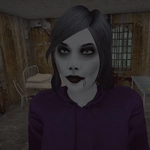
📝Nina The Killer: Go To Sleep My Prince Overview
Lock and load as Nina the Killer in a nightmare you can't pause — every shadow hides a prince who won't stay asleep.
💬What is Nina The Killer: Go To Sleep My Prince?
I went in expecting a cheap creepypasta mod and got punched in the gut by how tense the first five minutes are. You're Nina, and the prince you're supposed to protect has turned into something you have to put down before sunrise. Every corridor is too dark, every sound is a threat, and the flashlight only makes the shadows worse.
The controls are pure FPS: WASD to move, mouse to aim and fire, Shift to sprint, Ctrl to crouch, even prone with X if you want to crawl under a bed and pray. Ammo is scarce, so every shot counts. You'll learn to block with Mouse 2 instead of tanking hits — it's slow, awkward, and exactly what makes fights feel desperate. The grenade on G has saved my run more than once, usually by accident. There's a melee button too, but if you're close enough to use it, you've probably already made a mistake.
The jank is part of the charm. Doors don't always open on the first click, enemies twitch in ways that are more unsettling than intentional, and the sound design sounds like it was recorded in a basement — which only makes it scarier. One time I sprinted down a hallway, turned a corner, and came face-to-face with a silhouette that just stood there. I panicked, dumped a mag, and realized it was a mannequin. That's the kind of game this is: it gets in your head. If you like rough-around-the-edges horror shooters that don't hold your hand, this one's worth a late-night session. Just don't expect a fairy tale ending.
👥How to Play Nina The Killer: Go To Sleep My Prince
Mouse 1: Fire
Mouse 2: Aim/Block
W-S-A-D: Walk
Left Shift: Sprint
Left Ctrl: Crouch
X: Prone
Space: Jump
F: Use item
R: Reload
H: Holster weapon
G: Grenade
V: Melee attack
Esc or Tab: Pause
✨Game Tips
Conserve ammo: single taps to the head work better than spraying in panic.
Blocking with Mouse 2 reduces damage but slows you down — backpedal while blocking.
Use grenades to flush enemies out of rooms instead of fighting in doorways.
Crouch or go prone near low cover; enemies miss more shots.
Listen for audio cues before sprinting through blind corners.
If you hear breathing, don't move. Wait for it to pass.
🔧FAQ
Q: Is Nina The Killer: Go To Sleep My Prince free to play?
A: Yes, it's completely free in your browser — no hidden paywalls or downloads.
Q: Can I play Nina The Killer: Go To Sleep My Prince on mobile?
A: It's designed for keyboard and mouse, so mobile touch controls aren't supported.
Q: Do I need to download Nina The Killer: Go To Sleep My Prince?
A: No downloads needed. The game runs in HTML5 directly in your web browser.
Q: Is Nina The Killer: Go To Sleep My Prince scary?
A: Yes, it uses jump scares, dark environments, and disturbing audio. Not for young kids.
Q: What are the controls for Nina The Killer: Go To Sleep My Prince?
A: WASD to move, mouse to aim/fire, Shift to sprint, Ctrl to crouch, Space to jump, R to reload.
Q: Can I pause Nina The Killer: Go To Sleep My Prince?
A: Press Esc or Tab to open the pause menu and adjust settings or quit.