
Ninja Block
Play Count0
Published2023-07-17
Supported DevicesPC + Mobile
CategoryArcade & Classic
Rating★★★★★5.0Rate this game
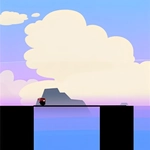
📝Ninja Block Overview
Stretch your stick just enough to bridge the gap — one pixel too short and your ninja takes a fatal plunge.
💬What is Ninja Block?
Ninja Block is one of those games that looks stupidly simple until you miss a platform by a hair and watch your little ninja plummet into the void. You tap and hold to stretch a stick, then release when you think it's long enough to reach the next platform. The catch? There's no adjusting the bridge once you're walking. You're committed. If the stick falls short, you fall. If it's too long, you overshoot and tumble off the edge. It turns into a brutal test of eyeballing distances, and I caught myself holding my breath on every single stretch.
The game throws five different modes at you, and each one tweaks the formula just enough to keep your brain from settling into autopilot. One mode might have moving platforms, another shrinks your margin for error, another makes the sticks move faster. You need quick-witted reactions and steady hands at the same time. It's genuinely satisfying when you chain together a dozen perfect stretches without a single death, but the game loves to punish overconfidence. I've lost more runs right after thinking 'I've got this' than I'd like to admit. Full language support is a nice touch, though the game barely needs words once you understand the single mechanic. Simple controls, zero loading screens, and a loop that keeps whispering 'one more try' in your ear. Bring your patience — you'll need it.
👥How to Play Ninja Block
Stretch the stick in order to reach and walk on the platforms. Watch out! If the stick is not long enough, you will fall down!
--5 Awesome Game Modes
--You need quick - witted
--Test your brain hand!
--Full languages Support !
--SImple Control
✨Game Tips
Hold the stick a bit longer than you think you need — the visual perspective lies and the platform is usually farther away than it looks.
Watch the tip of the stick, not your thumb. Release the moment the tip touches the next platform's surface.
In moving-platform modes, stretch toward where the platform will be, not where it is when you start.
Don't rush the first few stretches of a new mode. Learn the distance rhythm before pushing for speed.
If you die early three times in a row, switch modes. Your eye needs a reset to judge distance accurately again.
Use the sound cue if your device has it on — the stretching noise changes subtly right before the perfect length.
🔧FAQ
Q: Is Ninja Block free to play?
A: Yes, it's completely free and runs in your browser without any hidden fees or premium walls.
Q: Can I play Ninja Block on my phone?
A: Yes, it works on mobile browsers and desktop. Touch controls feel natural on a phone screen.
Q: Do I need to download anything to play Ninja Block?
A: No downloads or installs needed. Just open the page and the game loads instantly as HTML5.
Q: What are the five game modes in Ninja Block?
A: Each mode changes platform behavior, speed, or stick mechanics to keep the challenge fresh.
Q: Why do I fall even when the stick touches the platform?
A: The stick must fully overlap the platform surface. A slight gap or overshoot means you fall.
Q: Does Ninja Block support multiple languages?
A: Yes, it offers full language support, so you can switch menus and hints to your preferred language.