
Ninjatris
Play Count0
Published2021-11-02
Supported DevicesPC + Mobile
CategoryArcade & Classic
Rating★★★★★5.0Rate this game
📝Ninjatris Overview
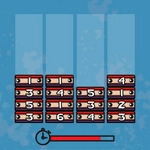
Slice through falling blocks in this ninja-themed Tetris twist where your mouse controls every drop and rotation.
💬What is Ninjatris?
I keep telling myself I'll stop after one more clear, and then forty minutes vanish. Ninjatris has that classic block-stacking pull, but the ninja twist and mouse controls give it a different rhythm. Instead of hammering arrow keys, you're sliding the cursor to nudge pieces left or right, clicking to rotate, and dropping them with a satisfying snap. It's the same tense decision-making—where does this L-shaped block go?—but your hands stay calm while your eyes dart across the grid.
The visual style helps. Expect shadowy backgrounds, shuriken icons, and maybe a silhouette that reacts when you clear lines. The blocks themselves feel weighty, and there's a subtle flash when you complete a row. I especially like how the mouse-based rotation forces you to think ahead: a quick flick can spin a piece into a tight gap you'd normally miss, but over-rotate and it's stuck in the wrong column. One late-night session, I managed to slide a straight piece into a four-line clear just as the speed ramped up—pure adrenaline.
If you've burned out on keyboard Tetris, this is a good palette cleanser. It's forgiving enough for casual sessions but still punishes sloppy placement. The difficulty curve climbs steadily, and after a few rounds you'll start seeing block shapes in your sleep. Just don't blame me when you say 'one more game' at 2 a.m.
👥How to Play Ninjatris
Use the mouse to play the game.
✨Game Tips
Keep the center columns open; edges are where mistakes pile up.
Use gentle mouse movements for precision—jerky flicks send pieces sideways.
Always glance at the next piece preview before committing to a drop.
Rotate early and often; a piece that looks wrong can become perfect.
Don't chase the perfect stack—clear lines as soon as they're available.
Watch the speed ramp; at higher levels, pre-position your cursor near the drop zone.
🔧FAQ
Q: Is Ninjatris free to play?
A: Yes, Ninjatris is completely free in your browser and requires no payment or sign-up.
Q: Can I play Ninjatris on mobile?
A: Yes, Ninjatris runs on most mobile browsers, but a mouse or touchscreen works best for dragging pieces.
Q: Do I need to download anything to play Ninjatris?
A: No downloads needed—Ninjatris runs directly in your web browser as an HTML5 game.
Q: What makes Ninjatris different from normal Tetris?
A: Ninjatris uses mouse controls instead of keyboard keys, and the theme adds ninja-themed visuals and effects.
Q: How do I rotate pieces in Ninjatris?
A: Click or tap on a falling piece to rotate it; some versions let you drag to position it before dropping.
Q: Can I pause Ninjatris during a game?
A: Most browser versions let you pause by clicking away or pressing Esc, but check the in-game menu.