
Nitro Car Drift
Play Count0
Published2023-02-24
Supported DevicesPC
CategoryDriving & Racing
Rating★★★★★5.0Rate this game
📝Nitro Car Drift Overview
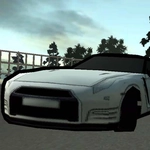
Slide through corners at full throttle and chain drifts until the tires beg for mercy—that's the whole point of Nitro Car Drift.
💬What is Nitro Car Drift?
Nitro Car Drift strips driving down to the one thing that actually matters: holding a slide longer than feels sane. You get four keys—W to gas, S to brake or reverse, A and D to steer—and Space to yank the handbrake. That's it. No upgrade trees, no story cutscenes, just a car that wants to rotate the second you touch Space. The trick isn't dumping the handbrake everywhere; it's learning when to tap it. Too early and the rear snaps, too late and you plow straight into the wall. I spent a good fifteen minutes just failing to carry speed through a sweeping left before it clicked.
The handling sits in that sweet spot between full arcade and punishing sim. There's enough weight transfer that you feel the body roll, but the car never fights you the way a hardcore sim would. Countersteering matters, but small corrections—not violent sawing—keep the drift alive. My favorite thing is how the drift scoring quietly encourages stupidly wide lines; the tighter you try to cut, the faster your angle dies. The best runs feel less like racing and more like threading a needle with a sliding car.
If you're new to drifting, don't chase walls. Find a flat, open area and just practice tapping Space while turning. Ease off the gas when the car starts to over-rotate, and only hammer W once you've caught the slide. Esc pauses the action, which is handy when you need to reset your brain after a nasty spin. It's not a game that holds your hand—but when you finally string three corners together without straightening, you'll get why that's a good thing.
👥How to Play Nitro Car Drift
W: Gas
S: Brake, reverse
A: Left
D: Right
Space: handbrake
Esc: Pause
✨Game Tips
Tap Space just before the apex to break traction, then countersteer gently with A or D.
Avoid holding W through the entire drift—feather the gas to keep the car from spinning out.
Use S to reverse out of walls; don't waste time trying to steer forward from a bad angle.
Focus on a wide entry line; tight entries kill your drift angle and score.
If the car starts to over-rotate, release Space and give a quick opposite steer.
Practice on a flat, open section first before attempting tight circuits.
🔧FAQ
Q: Is Nitro Car Drift free to play?
A: Yes, it's completely free in your browser—no payment or sign-up needed.
Q: Do I need to download anything?
A: No downloads. It runs instantly as an HTML5 game on desktop and mobile browsers.
Q: Can I play Nitro Car Drift on my phone?
A: Yes, but the on-screen touch controls aren't as smooth as a physical keyboard for drifting.
Q: What is the handbrake for in Nitro Car Drift?
A: Press Space while turning to break rear-wheel traction and start sliding sideways.
Q: Why does my car spin out every time I drift?
A: You're probably holding full gas and not countersteering. Ease off W and steer into the slide.
Q: Can I pause the game?
A: Press Esc to pause anytime, letting you reset your position or take a break.