
Noob vs Pro But Archers Minecraft
Play Count0
Published2025-09-23
Supported DevicesPC + Mobile
CategoryAction & Fighting
Rating★★★★★5.0Rate this game
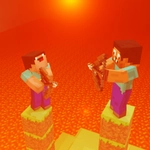
📝Noob vs Pro But Archers Minecraft Overview
Two archers, one bow each, and a blocky arena where only the sharper angle wins — can your noob aim beat a pro's timing?
💬What is Noob vs Pro But Archers Minecraft?
You've seen the meme, now play the duel. Noob vs Pro But Archers Minecraft strips archery down to its blocky bones: two players stand on floating platforms, each with a bow, and the only thing between you and a pixelated arrow to the face is how well you read the angle. On PC, the Pro uses A and D to spin the bow, W to fire. The Noob gets mouse and click — which sounds easier until you realize you're leading a target that's also rotating its aim in real time. I've lost more rounds than I care to admit because I focused too hard on my own bow and forgot the other guy could shoot first.
What makes it work is the tension of rotation. The bow doesn't just point where you click; it swings as you hold the key or drag the joystick on mobile. You have to time the release, not just point. That half-second where both arrows are mid-air? Pure dread. The blocky visuals keep it light — no blood, just a little 'oof' and a fall into the void — but the mind games are real. Do you go for the quick snap shot, or wait for the perfect 90-degree angle and risk getting hit first?
On mobile it's a touch joystick: rotate by dragging, slide to the edge to fire. That's where I actually preferred the Pro controls, because the mouse felt too twitchy for precision shots. But that's the fun — each side has a different feel, so a rematch isn't just a rehash, it's a different game. Grab a friend, because the CPU doesn't exist here. This is local multiplayer only, and honestly, that's the right call.
👥How to Play Noob vs Pro But Archers Minecraft
How to Play
On PC:
Pro controls:
A - rotate bow left.
D - rotate bow right.
W - shoot.
Noob controls:
Mouse and click to shoot.
On Mobile:
Rotate the bow using the joystick.
To shoot, slide your finger to the edge of the joystick.
✨Game Tips
On PC, tap W quickly for a snap shot instead of holding — release timing beats rotation speed.
Lead your target: aim where the other player's head will be when your arrow arrives, not where it is now.
If you're the Noob with mouse, use small wrist movements; big swipes overshoot and give Pro an easy read.
On mobile, don't keep the joystick fully extended — feather it to fine-tune the angle before sliding to the edge to fire.
Watch the opponent's bow rotation: if they're spinning clockwise, they likely favor a shot from the right side. Pre-aim there.
Play a few rounds as each side to learn both control schemes; then pick the one you hate less and master it.
🔧FAQ
Q: Is Noob vs Pro But Archers Minecraft free?
A: Yes, it's completely free to play in your browser with no paywalls or premium features.
Q: Can I play Noob vs Pro But Archers Minecraft on mobile?
A: Yes, you can play on mobile using the touch joystick controls. Slide to the edge to shoot.
Q: Do I need to download anything to play?
A: No download needed. Just open the page in any modern browser and the game runs instantly.
Q: Can I play Noob vs Pro But Archers Minecraft alone?
A: No, this is a local 2-player game only. You need a second person on the same device or keyboard.
Q: What are the controls on PC?
A: Pro uses A and D to rotate, W to shoot. Noob uses the mouse to aim and click to fire.
Q: Is there a single-player mode with bots?
A: No bots or AI opponents. It's strictly a two-player versus game meant for same-screen play.