
Noob vs Pro But Knife Hit Minecraft
Play Count0
Published2025-09-22
Supported DevicesPC + Mobile
CategoryAction & Fighting
Rating★★★★★5.0Rate this game
📝Noob vs Pro But Knife Hit Minecraft Overview
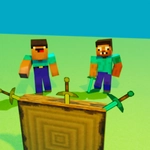
Two blocky rivals take turns hurling knives at a spinning Minecraft-style target. One wrong throw and the whole duel ends. Are you pro enough?
💬What is Noob vs Pro But Knife Hit Minecraft?
Noob vs Pro But Knife Hit Minecraft takes that simple knife-throwing loop you've seen in mobile games and gives it a split-screen blocky twist. You and a friend (or you and your own stubborn brain in single-player) stand opposite each other, facing a spinning wooden target. Each player has a stash of knives. Press your button at the right moment and the knife flies. Hit the bare wood and it sticks with a satisfying thunk. Hit another knife and the round's over.
The two-player mode is where this gets loud. Player one uses Z, player two uses the up arrow. You alternate throws, so there's no button mashing — it's all timing and nerve. The target speeds up as you go, sometimes reversing direction just to mess with your head. I've played rounds where I thought I had the rhythm locked, only to watch my knife clip the edge of an existing blade and send the whole stack trembling. That's the moment you either laugh or throw the keyboard.
What I like is that it doesn't pretend to be more than it is. No power-ups, no weird story, just you, another blockhead, and a spinning log. The Minecraft-style textures keep it light, but the competition gets real fast. If you're alone, the single-player mode gives you a steady difficulty curve — start with the up arrow and see how many knives you can sink before your hand-eye coordination taps out. It's the kind of game you load up for ten minutes and accidentally play for an hour.
👥How to Play Noob vs Pro But Knife Hit Minecraft
Controls on PC:
1 player (Pro):
Z key - shoot knife.
2 player (Noob):
Up arrow - shoot knife.
In two-player mode, shoot knives in turns.
In single-player mode, shoot by pressing the up arrow.
Controls on Mobile:
Tap the screen to shoot a knife!
✨Game Tips
In two-player mode, watch the target's rotation speed before your turn — it changes after every few hits.
Aim for gaps between existing knives, but don't wait too long; hesitation makes the target spin faster.
If you're on mobile, tap slightly before the knife aligns because of input delay.
Use the first few throws in single-player to learn the spin pattern.
When the target reverses direction, reset your timing rather than trying to adjust mid-throw.
Play with sound on — the knife-stick sound tells you immediately if you hit wood or blade.
🔧FAQ
Q: Is Noob vs Pro But Knife Hit Minecraft free?
A: Yes, it's completely free to play in your browser with no hidden fees.
Q: Can I play Noob vs Pro But Knife Hit Minecraft on mobile?
A: Yes. The touchscreen version lets you tap to throw knives, and it feels just as responsive as keyboard controls.
Q: Do I need to download anything to play?
A: No downloads required. It's an HTML5 game that loads directly on the site.
Q: How do I play with a friend in two-player mode?
A: Player 1 uses the Z key, player 2 uses the up arrow. You take turns throwing knives at the same target.
Q: What happens if I hit another knife?
A: The round ends immediately. The goal is to avoid any knife already stuck in the target.
Q: Is there a single-player mode?
A: Yes. Use the up arrow key and see how many knives you can land before hitting a previous one.