
Nooby And Obby 2 Player
Play Count0
Published2023-08-28
Supported DevicesPC + Mobile
CategoryAction & Fighting
Rating★★★★★5.0Rate this game
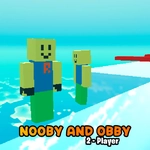
📝Nooby And Obby 2 Player Overview
Grab a friend and leap through a deadly obstacle course where one wrong jump sends you both tumbling into the void.
💬What is Nooby And Obby 2 Player?
I'm not sure what's funnier — watching my partner faceplant into the same spike pit for the fifth time or realizing I'm just as bad. This co-op obby drops you and a second player into a bright, blocky world of moving platforms, spinning blades, and narrow beams. Nooby uses WASD to move and Space to jump, while Noob Baby gets the arrow keys and P. It sounds simple until you both try to land on the same tile and someone gets nudged off the edge.
The real chaos starts when you hit timing sections. There's a stretch of floating islands that shift under your feet, and if both of you stand on the left side, the whole thing tilts and dumps you into the lava. You'll learn fast that coordination matters more than reaction speed. One player should lead, the other should hang back half a second, and you both need to call out jumps. I lost count of how many times we died because one of us got greedy and tried to skip ahead. Mobile controls are available too, but they're a bit tougher — the on-screen buttons cramp up on smaller screens.
What keeps me coming back is the instant respawn. There's no long death screen or loading time. You're back at the last checkpoint in a blink, which makes it weirdly addictive. You'll die, laugh, respawn, and immediately try the same impossible jump again. It's the kind of game that turns a quick session into an hour of yelling at each other. If you're looking for a couch co-op platformer that doesn't pull punches, this one's a gem. Just don't blame me when your friendship gets tested on the final bridge.
👥How to Play Nooby And Obby 2 Player
*Noob Player: Use WASD to move and Space to jump.
*Noob Baby Player: Use Arrow Keys to move and P to jump.
*Mobile Control Available
✨Game Tips
Stick together but never crowd the same tile — push physics are brutal on narrow ledges.
Designate one player as the leader on timing jumps and let the other follow a beat later.
If you're on mobile, switch to landscape mode so the on-screen controls don't overlap as much.
Use the instant respawn to learn each section rather than rushing; you keep checkpoint progress.
Talk before every jump — decide who goes first and where the second player lands.
Watch for hidden checkpoints tucked just past corners or behind tall blocks.
🔧FAQ
Q: Is Nooby And Obby 2 Player free?
A: Yes, it's completely free to play in your browser with no hidden fees.
Q: Can I play Nooby And Obby 2 Player on mobile?
A: Yes, mobile controls are available, though a keyboard gives you better precision.
Q: Do I need to download anything to play?
A: No download needed. It runs directly in your web browser as an HTML5 game.
Q: Can I play Nooby And Obby 2 Player alone?
A: The game is designed for two players, but you can control both characters if you're bold.
Q: What are the controls for the second player?
A: Noob Baby uses the arrow keys to move and P to jump. Nooby uses WASD and Space.
Q: Does Nooby And Obby 2 Player work with a controller?
A: It's optimized for keyboard and touch, but some browsers may support gamepad input.