
ObbloxGun.io 3D FPS Shooter
Play Count0
Published2026-08-14
Supported DevicesPC + Mobile
CategoryAction & Fighting
Rating★★★★★5.0Rate this game
📝ObbloxGun.io 3D FPS Shooter Overview
Why settle for pixel blobs when you can dominate a full 3D arena with zero downloads? Jump in, aim true, and watch your kill count climb.
💬What is ObbloxGun.io 3D FPS Shooter?
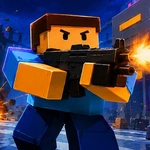
I'll be real: most .io shooters feel like glorified tech demos. ObbloxGun.io actually nails the 3D FPS feel without making you install a thing. You drop into a compact map full of other players, each of you a blocky soldier with a gun that kicks. WASD moves you around, left click fires, and the hit feedback feels snappy—you see tracers, hear the shot, and if you land a headshot the enemy drops fast. It's simple but satisfying in a way that kept me queuing for "one more round" for an hour.
The real hook is the rhythm of map control. Spawn, grab whatever weapon is near, then push toward the center or hold a corner. I learned quickly that standing still is death. The arena has enough cover to bait shots, flank, and escape when you're low. Mobile players aren't left out either—auto aim and auto fire are on by default, which honestly makes it playable on a phone without feeling like you're fighting the controls. I tried it on my tablet and actually got a few kills while half-watching TV.
Don't expect deep progression or loadouts. It's pure arcade deathmatch. You die, you respawn, you go again. That lean design works in its favor—no grinding, no pay-to-win nonsense, just raw aim and positioning. If you've got ten minutes and want the feel of an FPS without downloading a client, this scratches the itch. It won't replace your favorite competitive shooter, but as an unblocked game at school or work, it's dangerously easy to lose a lunch break to.
👥How to Play ObbloxGun.io 3D FPS Shooter
*Move with the WASD keys and shoot using the left mouse button.
*Mobile controls are fully supported. Auto Aim and Auto Fire are enabled on mobile devices.
✨Game Tips
Keep moving. Strafe while shooting to make yourself a harder target—standing still is a free kill for the other guy.
Aim for the head. The time-to-kill drops dramatically when you land headshots, so don't spray center mass if you can help it.
Learn the map's sightlines. Most kills happen near the central cover; know which angles let you see enemies before they see you.
On mobile, let auto aim do the heavy lifting. Focus on movement and positioning instead of fighting the touchscreen to line up shots.
Don't reload in the open. Break line of sight, reload around a corner, then re-engage—otherwise you'll get caught with an empty mag.
If you're on desktop, lower your mouse sensitivity slightly. The default can feel twitchy, and a steadier aim wins more duels.
🔧FAQ
Q: Is ObbloxGun.io 3D FPS Shooter free to play?
A: Yes, it's completely free. No payment required to access any weapons or maps.
Q: Can I play ObbloxGun.io 3D FPS Shooter on my phone?
A: Yes, the game supports mobile browsers with touch controls, auto aim, and auto fire enabled.
Q: Do I need to download anything to play?
A: No downloads or installs needed. It runs directly in your web browser as an HTML5 game.
Q: How many players can join a match?
A: Matches are multiplayer with multiple players in the same arena, but exact player counts vary by server.
Q: What are the controls on desktop?
A: Use WASD to move, your mouse to aim, and left click to shoot. That's all you need.
Q: Does ObbloxGun.io 3D FPS Shooter work on school networks?
A: Since it's a browser-based .io game, it often bypasses filters that block downloads, but some networks may still restrict it.