
Obby 30: Color Rush
Play Count0
Published2026-07-06
Supported DevicesPC + Mobile
CategoryArcade & Classic
Rating★★★★★5.0Rate this game
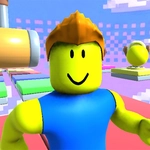
📝Obby 30: Color Rush Overview
Jump, dodge, and sprint through a kaleidoscope of deadly obstacles where one wrong step sends you tumbling back to the start.
💬What is Obby 30: Color Rush?
I kept bouncing off the same spinning platform for five minutes straight and somehow still wanted more. That's the magic of Obby 30: Color Rush — it trades polished hand-holding for raw trial-and-error, and the frustration only makes the eventual success sweeter. You move with WASD, jump with the spacebar, and swing the camera with a held right mouse button. The controls are simple enough, but the level design does everything it can to make you second-guess your timing.
There's a section where the floor shifts from solid to translucent red blocks that vanish a second after you land. You don't just time your jumps — you read the rhythm of the color pulses. Miss by a frame and you're back at the checkpoint, but when you finally chain four jumps across that gap, it feels earned, not lucky. The whole game operates on that principle: every obstacle punishes hesitation, yet rewards you for trusting your instincts. You'll learn to tap the spacebar instead of holding it, to rotate your camera before committing to a jump, and to spot the safe edge through the visual noise.
Obby 30 isn't for the easily frustrated. It's the kind of game that makes you lean closer to the screen, your hand twitching over the spacebar. But every fall teaches you something — where to angle your camera, when to tap instead of hold jump, how to read the color warnings. I lost more runs than I finished, and that's exactly why I'm going back. If you like parkour challenges that don't coddle you, this one will scratch that itch.
👥How to Play Obby 30: Color Rush
PC Controls:
• Movement: W, A, S, D keys
• Camera: Hold the right mouse button and move the mouse.
• Jump: Spacebar (your main action — master it!)
✨Game Tips
Tap spacebar for a short hop instead of holding it — full jumps often overshoot the narrow beams.
Rotate your camera before every jump; some hazards only become visible from a side angle.
Watch for the red pulse before a platform disappears; the color shift gives you a half-second warning.
Don't sprint through tight sections — controlled taps keep you from sliding off edges.
Memorize checkpoint locations; they're not always right after the hardest obstacle.
If you fall, use the respawn delay to scan the section ahead for the safe landing spot.
🔧FAQ
Q: Is Obby 30: Color Rush free to play?
A: Yes, it's completely free in your browser. No hidden subscriptions or paywalls.
Q: Can I play on mobile?
A: The game is designed for keyboard and mouse, so mobile touch controls are not supported. Use a desktop.
Q: Do I need to download anything?
A: No downloads or installs. Just open the page and it loads in your browser.
Q: Why does my character keep falling?
A: The spacebar jump requires precise timing. Try tapping instead of holding, and adjust your camera angle first.
Q: Are there checkpoints in the game?
A: Yes, scattered checkpoints save your progress, but you'll restart from them after every fall.
Q: Can I play without a mouse?
A: The right mouse button controls the camera, so a mouse is necessary. You can't rebind it to keyboard.