
Obby: Traps And Jumps
Play Count0
Published2026-07-29
Supported DevicesPC + Mobile
CategoryArcade & Classic
Rating★★★★★5.0Rate this game
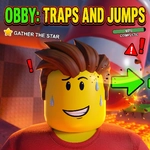
📝Obby: Traps And Jumps Overview
One wrong jump and you're skewered—again. Obby: Traps And Jumps tests your patience as much as your reflexes.
💬What is Obby: Traps And Jumps?
You're a blocky little avatar dropped into a gauntlet of spinning blades, spike pits, moving platforms, and crumbling floors. Controls are simple—WASD to move, space to jump, shift to sprint—but the timing is brutal. The right mouse button lets you look around, which helps spot hidden traps before you commit. I lost count of how many times I sprinted into a saw because I thought the gap was safe. That's the hook: it's not unfair, just unforgiving. Each death is a lesson.
What makes it stand out? The checkpoints are generous, so you're never stuck replaying too much, but the traps are placed to punish impatience. You'll start learning the rhythm of each section—jump, wait for the blade, sprint past the crusher, land on the narrow beam. The mobile controls (joystick, jump, sprint) are surprisingly decent if you're on a touchscreen, but keyboard feels tighter. The graphics are simple Unity-style 3D, nothing fancy, but the clean layout keeps your focus on the death traps. If you're into rage games or obstacle courses, this scratches that itch without being a full-on "I'm breaking my keyboard" experience.
The game doesn't hold your hand. There's no tutorial, just you and the first spinning death machine. That's fine—the controls are intuitive. The sprint is a double-edged sword: it helps clear long jumps but also sends you flying into walls if you misjudge. R restarts instantly, which is a blessing because you'll be mashing it. The level design has a nice progression; early sections teach you each trap type, then later sections combine them in sadistic ways. It's free, it's unblocked, and it's perfect for a quick frustration session between classes.
👥How to Play Obby: Traps And Jumps
Pc: wasd — move | space — jump | shift — sprint | r — restart | right mouse button - look around
Mobile: joystick — move | jump & sprint buttons
✨Game Tips
Tap R the instant you die—it respawns you faster than waiting for the death animation.
Use the right mouse button to peek around corners before sprinting into a new area.
Don't hold sprint constantly; save it for gaps that actually need the extra distance.
Learn the timing of each spinning blade, they always follow a set rhythm you can exploit.
On mobile, switch to the joystick layout in your settings if the default feels too twitchy.
If a jump looks barely possible, it probably is—try sprinting from the very edge.
🔧FAQ
Q: Is Obby: Traps And Jumps free to play?
A: Yes, it's completely free in your browser with no hidden paywalls.
Q: Do I need to download anything to play?
A: Nope, it runs on HTML5. Just open the page and start jumping.
Q: Can I play Obby: Traps And Jumps on my phone?
A: Yes, the mobile version has a joystick and on-screen jump/sprint buttons.
Q: What are the PC controls?
A: WASD moves, space jumps, shift sprints, R restarts, and right mouse button looks around.
Q: Is this game suitable for younger players?
A: It's cartoonish but very difficult. Best for ages 8+ who enjoy a challenge.
Q: Why does my character keep dying?
A: The traps are brutal. Study each section's rhythm and use sprint only when needed.