
Obunga Nextbot Find Difference
Play Count0
Published2023-08-16
Supported DevicesPC + Mobile
CategoryPuzzle & Thinking
Rating★★★★★5.0Rate this game
📝Obunga Nextbot Find Difference Overview
Spot the sly differences hiding between two Obunga Nextbot images—your eyes have seconds to catch every off pixel before the timer bleeds out.
💬What is Obunga Nextbot Find Difference?
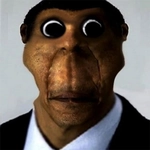
The first thing I noticed is how the two panels look almost identical until you zero in. Obunga's stretched face stares back from both sides, but one has a slightly different grin, or a background poster shifted a couple pixels. You click the spot you think changed, and if you're right, a little circle stamps the anomaly and the counter ticks down. If you're wrong, you lose time or a life—depends on the stage. The tension ramps fast because you can't just glance; you have to actively sweep every corner.
The game leans into the Nextbot meme energy, so expect weird, slightly unsettling backdrops and that low-poly horror vibe. The differences aren't always obvious. Sometimes it's a color flipped on a character's shirt, other times an entire object vanishes. I caught myself clicking random spots out of frustration, which the game punishes with a time deduction. One round had me stuck on a tiny shadow under Obunga's left eye for a solid twenty seconds—turns out it was the only change and I'd been staring right past it.
For a hypercasual pick, Obunga Nextbot Find Difference has solid replay value if you like pattern-spotting with a creepy twist. It's simple to pick up but hard to master under the countdown. Don't expect a story or progression system; it's pure spot-the-difference sessions with increasingly cluttered images. Works fine with just a mouse, and the difficulty curve feels fair until the later stages where differences get genuinely sneaky.
👥How to Play Obunga Nextbot Find Difference
use mouse to find difference
✨Game Tips
Sweep the image in a grid pattern left-to-right, top-to-bottom, so you don't waste time jumping around randomly.
Zoom in if the game allows it; pixel-level changes hide in tiny areas like eyes or text.
Ignore obvious large elements first—differences often lurk in backgrounds and corners.
Use process of elimination: once you find a difference, remember its position to avoid rechecking it.
If you're stuck, click only when you're at least 80% sure—wrong clicks eat your timer.
Play with the sound on; some versions give a soft chime when your cursor nears a difference.
🔧FAQ
Q: Is Obunga Nextbot Find Difference free to play?
A: Yes, it's completely free in your browser with no hidden fees.
Q: Can I play Obunga Nextbot Find Difference on my phone?
A: It works on most mobile browsers with touch controls, though a mouse is more precise.
Q: Do I need to download or install anything?
A: No downloads needed; just open the game page and start playing instantly.
Q: What are the controls?
A: Use your mouse or finger to click on the differences between the two images.
Q: Is the game scary or just meme-themed?
A: It leans into creepy Nextbot memes with a jump-scare-lite vibe, not full horror.
Q: Can I play Obunga Nextbot Find Difference offline?
A: You need an internet connection because it loads in your browser.