
Office Room Escape
📝Office Room Escape Overview
Stuck in a dull office after hours? Search every drawer, crack the codes, and find your way out before the boss catches you.
💬What is Office Room Escape?
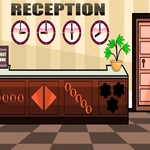
There’s something weirdly satisfying about rooting through a desk that isn’t yours. Office Room Escape drops you into a locked office after everyone else has gone home, and your only job is to get out. No backstory, no villain – just you, a mouse cursor, and a room full of suspiciously interactive objects.
You click on things. Lots of things. Drawers slide open, papers shift, a plant pot might hide a key, and that sticky note on the monitor could be the code to a safe. The game doesn’t hold your hand, which I appreciate. You need to actually pay attention – I spent a solid five minutes stuck because I didn’t notice a tiny USB stick tucked behind the keyboard. The cursor changes when you hover over something useful, but only barely – a slight highlight, so you still have to look. The puzzles are logical but not insultingly easy, mostly involving sequence locks, hidden compartments, and using one item on another. It’s that classic escape room loop: spot a thing, try it everywhere, feel smart when it clicks.
What keeps me coming back is the pace. It’s short – maybe 10–15 minutes once you know what to do – but the first run feels like a proper little mystery. And because it’s clicker-style, there’s no timer or fail state, so you can poke around at your own speed. I actually replayed it twice just to see if I could beat my own time. Perfect for a break between classes when you want to feel clever without committing to a whole hour-long game.
👥How to Play Office Room Escape
Mouse Interact
✨Game Tips
Hover over everything – some hotspots are only a one-pixel difference in highlight.
Write down any numbers you see; they're usually part of a lock combination.
Try combining items in your inventory, even if they seem unrelated at first.
The desk phone might not be just for decoration – click the buttons.
Don't ignore the trash bin; it hides more clues than you'd expect.
🔧FAQ
Q: Is Office Room Escape free to play?
A: Yes, it's completely free on our unblocked games site. No payment or subscription needed.
Q: Can I play Office Room Escape on my phone?
A: The game works best with a mouse, but it's playable on touchscreens since it's just clicking and dragging.
Q: Do I need to download anything to play?
A: No downloads required. It runs right in your browser as an HTML5 game.
Q: What if I get stuck and can't find the next clue?
A: Check every drawer and surface twice, and try using inventory items on objects by clicking one then the other.
Q: How long does it take to beat Office Room Escape?
A: Most players finish in 10–15 minutes, but your first run might take longer if you're exploring every corner.
Q: Does the game save my progress?
A: No saving – it's a short escape room, so you'll want to finish it in one sitting.