
Old Teacher Escape
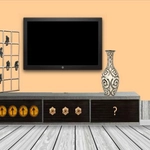
📝Old Teacher Escape Overview
Locked in after detention, an old teacher's classroom hides more than chalk dust—can you click your way out before the janitor arrives?
💬What is Old Teacher Escape?
You're stuck in a cluttered classroom with nothing but a cursor and a nagging feeling that the old teacher isn't actually asleep. The whole thing plays like a low-tech escape room: click on desks, drawers, globes, chalkboards, and the occasional suspicious poster. I spent five minutes clicking every corner of the bookshelf before noticing the chalk tray slides—turns out the key was behind the eraser. That kind of small discovery is exactly what keeps me coming back.
The old teacher doesn't move much, but that's part of the charm. You'll check the clock, the globe, the stack of papers. Some items are pure red herrings, which I usually hate, but here it makes the room feel lived-in. The puzzles aren't going to rewrite the genre—mostly find the hidden object, then figure out where it fits. But the clicker-style feedback, where your cursor changes on interactive hotspots, keeps the pace moving even when you're stuck.
Nothing here needs a walkthrough. If you're stuck, just click more slowly and check the edges of furniture. The animations are basic, but that's fine. You're here for the escape, not the graphics. It's the kind of game you can finish in one sitting and then immediately want to replay to see if there was a faster route through the clutter.
👥How to Play Old Teacher Escape
Mouse Ineract
✨Game Tips
Check the teacher's desk first; the top drawer usually has a key or a note.
Click every chalkboard eraser twice—some loose ones hide buttons.
Move your cursor slowly along shelves to spot interactive edges.
Don't ignore the wastebasket, even if it looks empty.
If a puzzle piece won't budge, try clicking it after picking up another item.
🔧FAQ
Q: Is Old Teacher Escape free?
A: Yes, it runs free in your browser with no payment or account needed.
Q: Can I play Old Teacher Escape on mobile?
A: It works on mobile browsers, though it's easiest with a mouse or touchscreen tapping.
Q: Do I need to download anything?
A: No downloads or installs. Just load the page and play.
Q: What if I get stuck on a puzzle?
A: Click slower and check the edges of furniture—most solutions hide in plain sight.
Q: Is Old Teacher Escape suitable for kids?
A: It's family-friendly and has no violence; younger kids may need help with the puzzle logic.
Q: How long does it take to finish?
A: Most players escape in about 10 to 20 minutes, depending on how carefully you search.