
ONE BLOCK for Minecraft
Play Count0
Published2021-06-01
Supported DevicesPC + Mobile
CategoryArcade & Classic
Rating★★★★★5.0Rate this game
📝ONE BLOCK for Minecraft Overview
How far can you stretch a single Minecraft block into a full sky-island empire? Jump, build, and survive as your world expands one block at a time.
💬What is ONE BLOCK for Minecraft?
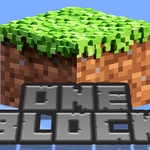
I’ll admit, I went in expecting a cheap Minecraft knockoff. Five minutes later I was frantically tapping a lone grass block, watching it pop into dirt, then wood, then stone, all while trying not to step off the edge. That’s the whole hook: you start with one block hovering over nothing. Break it, and another appears. Sometimes it’s a log. Sometimes a zombie spawns. The randomness is what keeps you glued.
The controls are dead simple—tap, hold, or click depending on your device. No crafting grid, no redstone, no tutorials. You just break blocks, collect drops, and place them out to widen your platform. I lost an entire afternoon to the loop of expanding my dirt slab into a tiny floating farm. One wrong tap sends you into the void, and you start again. It’s sharp, immediate, and weirdly meditative.
There’s no win condition. You just survive, build, and chase the next block. It feels like a fidget toy that turns into a survival game. Don’t expect full Minecraft mechanics—this is a stripped-down arcade version. But for a browser game, it nails that one-more-block itch. I kept coming back just to see if the next block would be diamond or a creeper.
👥How to Play ONE BLOCK for Minecraft
Simple gameplay with efficient and easy to learn controls.
✨Game Tips
• Keep your platform at least 3x3 before punching too many blocks—mobs can spawn at the worst moment.
• Always stand in the center when breaking the last block on your edge; a surprise push sends you flying.
• Save wood for critical platforms, don’t waste it on decoration.
• If a creeper appears, back off immediately—let it wander to the edge and knock it into the void.
• Watch the block type pattern: after several breaks, the next block usually upgrades, so don’t stop mid-cycle.
• On mobile, use two thumbs—one to break, one to place—so you always have a floor under you.
🔧FAQ
Q: Is ONE BLOCK for Minecraft free?
A: Yes, it's completely free to play in your browser with no hidden payments.
Q: Do I need to download or install anything?
A: No download needed. It runs directly in your browser as an HTML5 game.
Q: Can I play ONE BLOCK for Minecraft on mobile?
A: Yes, it works on smartphones and tablets through a mobile browser with touch controls.
Q: Does this include the full Minecraft game?
A: No, it's a standalone arcade version inspired by the one block skyblock challenge, not the full Minecraft.
Q: What happens if I fall into the void?
A: Your world resets and you start with a fresh single block, ready to rebuild.
Q: Are there mobs and different block types?
A: Yes, you'll encounter random blocks, ores, and mobs like zombies and creepers as you break blocks.