
Only Up Or Lava
Play Count0
Published2024-03-06
Supported DevicesPC
CategoryAction & Fighting
Rating★★★★★5.0Rate this game
📝Only Up Or Lava Overview
One slip, one mistimed jump, and you're free-falling into a glowing orange death pit that resets your entire climb.
💬What is Only Up Or Lava?
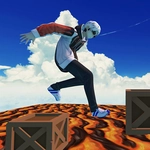
Only Up Or Lava is the kind of game that makes your palms sweat after five minutes. You're at the bottom of a ridiculous vertical maze built from floating platforms, rusty pipes, wooden planks, shipping containers, and whatever else got welded into the sky. The objective is simple: get to the top. The problem? Every gap is a little too wide, every landing is a little too narrow, and below you there's a bubbling pool of lava that will end your run in a single touch. No health bar, no second chance.
Movement feels deliberately floaty but fair. WASD moves you, Space jumps or climbs ledges, and holding Shift lets you walk slowly or drop down onto a lower platform without accidentally launching yourself off the edge. The real trick is managing momentum. A running jump covers more distance, but landing on a sloped or angled surface can send you sliding sideways into the void. I kept coming back to one particular sequence where you have to jump from a tilted roof onto a spinning turbine blade, then immediately climb onto a narrow steel beam. It took me maybe twelve tries. When I finally stuck it, I actually held my breath until I reached the next checkpoint.
The atmosphere is tense but not scary. No enemies, no timer, just you against the architecture and that constant orange glow below. R brings up the pause menu, and Esc frees your cursor if you need to click something. The real difficulty comes from reading the environment and committing to jumps. Sometimes the safest-looking route is a trap, and sometimes the ugly stack of barrels is the only way forward. If you hate falling, this game will test your patience. If you love that "one more try" loop, you'll lose an hour without noticing.
👥How to Play Only Up Or Lava
R = pause/game menu
WASD = move
Space = jump/climb
Shift = walk/drop to ledge
Esc = return cursor
✨Game Tips
Use Shift to drop off a ledge safely instead of jumping and overshooting the next platform.
Look for alternate paths before taking a risky jump; sometimes climbing sideways first gives you a better angle.
Don't hold Shift while running unless you mean it, because it turns into a slow walk and can ruin momentum.
When landing on sloped or angled surfaces, tap the opposite movement key immediately to cancel your slide.
Keep an eye on the lava glow below to judge height and distance, but don't stare at it too long during jumps.
If you're stuck, retreat to a wider platform and reposition instead of panic-jumping repeatedly.
🔧FAQ
Q: Is Only Up Or Lava free?
A: Yes, it's completely free to play in your browser.
Q: Can I play Only Up Or Lava on mobile?
A: The controls are built for keyboard, so mobile play isn't officially supported.
Q: Do I need to download anything?
A: No downloads or installs, just open the game in a browser and play.
Q: What happens if I fall into the lava?
A: You'll restart from the bottom or your last checkpoint, depending on the game version.
Q: How do I pause the game?
A: Press R to open the pause menu and see the controls.
Q: What does Shift do exactly?
A: Shift lets you walk slowly or drop down to a lower ledge without jumping off.