
OWL JUMP
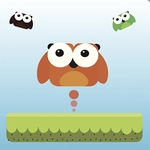
📝OWL JUMP Overview
One tap sends this owl soaring—hold longer to push through ceilings and rack up outrageous heights.
💬What is OWL JUMP?
There's a certain charm to Owl Jump that sneaks up on you. You're just a round little owl hopping between faint platforms in a dark, endless vertical maze, and the only thing you control is how long you hold that jump button. Hold a beat longer and you'll spring higher, but release too late and you'll overshoot into empty space. The physics feel surprisingly weighty for such a simple game—miscalculate a jump by a fraction and you'll see your owl smack its head on the underside of a ledge, then tumble downward in a way that's equal parts funny and infuriating.
I kept a mental rhythm going after a few runs: a quick tap, a longer hold, a pause while the owl glides down, then another hold just as it touches a platform. Once that rhythm locks in, the game turns almost meditative. But then the speed ramps up, platforms start spawning narrower, and one wrong hold sends you spiraling. That's when the restart button starts looking very tempting.
If you need a five-minute distraction between classes, Owl Jump is perfect. It won't teach you anything, it won't make you smarter, and it certainly won't help you with your homework. But that's kind of the point. It's pure, unfiltered arcade instinct.
👥How to Play OWL JUMP
Tap and Hold to make the bird jump. Use Left Mouse Button for PC.
✨Game Tips
- Time your holds, don't just tap: longer presses give higher jumps, but you'll need to feather the button for tight gaps.
- Watch for the faint glow of upcoming platforms so you can adjust before you land.
- Don't panic after a missed jump—sometimes a quick double-tap can save a fall if you're close to a ledge.
- Practice releasing just before the peak of your jump for the most control on descent.
- The game speeds up as you climb; focus on the next two platforms, not the whole screen.
- If you're stuck, try counting the rhythm of taps aloud—it helps lock in consistent spacing.
🔧FAQ
Q: Is OWL JUMP free to play?
A: Yes, it's completely free in your browser—no paywalls or hidden purchases.
Q: Can I play OWL JUMP on mobile?
A: Absolutely. The tap-and-hold controls work great on touchscreens and the game runs in any mobile browser.
Q: Do I need to download anything to play OWL JUMP?
A: No downloads needed. Just open the page and the game loads instantly as HTML5.
Q: What are the controls for OWL JUMP?
A: On PC, hold the left mouse button to jump. On mobile, tap and hold the screen.
Q: Is OWL JUMP unblocked at school?
A: Yes, this version is hosted on an unblocked games site, so it should bypass most school filters.
Q: Does OWL JUMP have multiple levels or endless mode?
A: It's an endless arcade climb—no levels, just see how high you can get.