
Paint Pop 3D 2026
Play Count0
Published2026-01-05
Supported DevicesPC + Mobile
CategoryFun & Crazy
Rating★★★★★5.0Rate this game
📝Paint Pop 3D 2026 Overview
Spin the ring, tap to paint, and don't you dare clip an obstacle — Paint Pop 3D 2026 turns a simple slice into a split-second gamble.
💬What is Paint Pop 3D 2026?
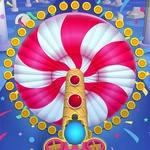
Paint Pop 3D 2026 is one of those deceptively simple games that tricks you into thinking you're a precision god, then humbles you with a spinning ring and a tiny black obstacle. You're staring at a 3D torus — imagine a donut made of colored slices — and every slice needs a tap of paint. Some slices are wide, some are thin, and the ring spins at varying speeds. You tap as each slice rotates into reach. Sounds chill? It is, until an obstacle slides into view and your finger twitches half a second too late.
I kept coming back to a level where the obstacle was tucked right behind a painted slice. You'd see the slice, tap it, feel proud, then the obstacle follows immediately and you're dead before you can pull your finger away. That's the whole game in a nutshell: greed kills. The 3D rotation makes depth perception tricky — sometimes a slice looks like it's still far away when it's already under your thumb. Other times the ring spins so slowly you get lulled into a false sense of safety, then it jerks forward.
For a hypercasual title, Paint Pop 3D 2026 respects your time. Levels last maybe 10-15 seconds, failure sends you right back in with one tap, and the color palette is bright enough to keep your eyes glued. The satisfaction of completing a full ring without hitting anything genuinely feels like a small victory. Just don't blame the game when an obstacle clips you from behind — you should've been watching the whole ring, not just the juicy slices.
👥How to Play Paint Pop 3D 2026
- Tap to paint.
- Paint all slices on the ring to complete a level.
- Be careful to the obstacles! Game is over if hit an obstacle.
✨Game Tips
Watch the whole ring, not just the slice you're tapping — obstacles hide right behind painted slices.
Tap slightly earlier than you think; 3D projection makes slices appear farther than they are.
Don't rush to paint every slice in one pass; let the ring complete a full rotation and pick off stragglers.
If the ring suddenly speeds up, stop tapping and wait until you can read the new rhythm.
Some obstacles only occupy part of a slice; aim for the empty space if your timing is sharp.
Treat each level like a rhythm game — listen for a consistent beat in the ring's spin.
🔧FAQ
Q: Is Paint Pop 3D 2026 free?
A: Yes, it's completely free to play online without any hidden fees.
Q: Can I play Paint Pop 3D 2026 on mobile?
A: Yes, the game works on mobile browsers and touchscreens with tap controls.
Q: Do I need to download anything to play?
A: No downloads needed — just open the game in your browser and start painting.
Q: What happens if I hit an obstacle?
A: The game ends immediately, but you can restart the level with one tap.
Q: Are there different ring speeds in Paint Pop 3D 2026?
A: Yes, some rings spin slowly and others speed up, so adjust your timing each level.
Q: Can I replay levels after finishing?
A: Yes, you can replay any level to improve your score or just for fun.