
Parking Bike 3D Game
Play Count0
Published2021-09-29
Supported DevicesPC
CategoryAction & Fighting
Rating★★★★★5.0Rate this game
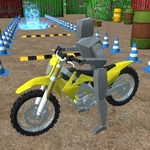
📝Parking Bike 3D Game Overview
Wrestle a motorcycle into impossibly tight parking spots while the bike's center of mass shifts with every tap of Q, E, F, and V.
💬What is Parking Bike 3D Game?
The first time you roll up to a parking bay narrower than your handlebars, you'll understand why this feels less like a parking sim and more like a wrestling match. You're on a motorcycle, the camera hangs low, and every curb, ramp, and painted line becomes an obstacle that wants to tip you over. The trick isn't just lining up the bike—it's throwing your rider's weight around using Q, E, F, and V to shift the center of mass. Lean forward to get the front wheel over a raised lip, lean back to keep the rear planted when you land a drop, and tap SPACE as a rear brake when a wobble starts to snowball. I spent a full minute rocking back and forth on one early ramp, tapping F to nudge my weight forward just enough to clear the edge, only to have the rear wheel slide out because I forgot to dab the brake. That's the loop: tiny inputs, big consequences.
Beyond the mass shifting, you've got WASD for throttle and steering, R for reverse, and the number 2 kicks in a power accelerate that's great for hopping gaps or blasting up a short slope—until you overcook it and loop out. Camera control with C helps a lot; the default view hides the curb you're about to clip. If the bike ends up on its side, T resets just the bike position without restarting the whole run, which saves time compared to ENTER. That little distinction matters when you're on attempt twelve of a tight corner.
Parking Bike 3D Game doesn't hand you anything. The physics are deliberately unforgiving, and that's exactly why I kept coming back—there's a real satisfaction in nailing a reverse park after you've learned exactly how much lean you can get away with. It's less about speed and more about patience and micro-adjustments. If you're the type who likes trial-and-error challenges with a hint of rage, this one will eat an hour before you notice.
👥How to Play Parking Bike 3D Game
Tab - Menu
WASD - Drive
R- Reverse
C - Camera
T - Resset Bike
2 - power accelerate
SPACE - rear brake
QEFV - shift center of mass of biker
ENTER - Restart
✨Game Tips
Tap C before reversing; the default camera will hide the curb you're about to clip.
Use SPACE as a rear brake to settle a wobbly front wheel after landing.
Shift your rider's mass forward with Q before climbing any ramp or raised edge.
Don't hold 2 down constantly—it's for short power bursts over gaps or steep slopes.
If you fall, hit T instead of Enter; T resets only the bike position, not the whole run.
Lean back on V when dropping off a ledge to keep the rear tire from bouncing out.
🔧FAQ
Q: Is Parking Bike 3D Game free?
A: Yes, it's completely free to play in your browser with no hidden charges.
Q: Do I need to download anything to play Parking Bike 3D Game?
A: No, the game runs directly in your web browser. Just open the page and start riding.
Q: Can I play Parking Bike 3D Game on mobile?
A: The desktop keyboard layout is recommended. Mobile touch controls are not currently optimized.
Q: What are the main controls in Parking Bike 3D Game?
A: Use WASD to drive, R to reverse, C to change camera, T to reset the bike, and Q, E, F, V to shift your weight.
Q: Is Parking Bike 3D Game suitable for beginners?
A: It has a steep learning curve because of realistic weight shifting, but you can restart instantly and practice each spot.
Q: How do I restart a level quickly?
A: Press Enter to fully restart. If you just tipped over, tap T first—it resets only the bike's position.