
Parking Classic Car
Play Count0
Published2022-12-13
Supported DevicesPC + Mobile
CategoryDriving & Racing
Rating★★★★★5.0Rate this game
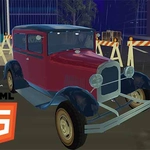
📝Parking Classic Car Overview
Vintage chrome, cramped lots, and zero room for error—can you park the classic without leaving a single scratch?
💬What is Parking Classic Car?
There's something wonderfully stressful about steering a long, floaty classic through a parking lot designed by someone who hates cars. Parking Classic Car drops you behind the wheel of a boxy vintage sedan and asks you to thread it into spaces that feel two sizes too small. The controls are simple—WASD or arrows on desktop, touch buttons on mobile—but the real challenge is the turning radius. It's like piloting a boat with a chrome bumper. You'll learn to start your turns absurdly early, then feather the gas so you don't overshoot.
Each level gives you a marked spot, a few obstacles, and zero sympathy. Cones, barriers, and sometimes other parked cars line your path, and the game is merciless about contact. A slight nudge against a curb doesn't always end the run, but it scrapes your confidence. I kept coming back to the third level just to shave a second off my time—not because I needed to, but because the satisfaction of a clean park is weirdly addictive. The camera sits above and slightly behind, which helps you judge distance, but on mobile the on-screen buttons can feel twitchy. I preferred a keyboard, though it's perfectly playable either way.
Don't let the 'racing' category fool you—there's no speed rush here. This is all precision and patience. If you enjoy games that reward a steady hand and punish impatience, Parking Classic Car will eat an entire lunch break without you noticing. It's simple, a little cruel, and exactly the kind of unblocked game you'll open 'just once more' during a boring class.
👥How to Play Parking Classic Car
"WASD" to drive and for mobile device use button in-game.
✨Game Tips
Creep forward at half speed—momentum is your worst enemy in the tightest corners.
Use the overhead camera to line up your rear wheel with the curb before you start turning.
On mobile, rest a thumb on each side of the screen instead of reaching across; it's steadier.
If you clip a cone, back up slowly and straighten out before the game registers full contact.
Some spots look impossible but have a wider entry angle if you approach from the opposite lane.
Don't trust the front bumper—watch your rear quarter panel, that's where most scratches happen.
🔧FAQ
Q: Is Parking Classic Car free to play?
A: Yes, it runs in your browser with no payment or sign-up required.
Q: Can I play Parking Classic Car on my phone?
A: Absolutely. Touch controls appear automatically, though a keyboard gives finer steering.
Q: Do I need to download anything?
A: No downloads. Just open the page and the game loads instantly.
Q: What are the controls?
A: WASD or arrow keys on desktop; on-screen buttons on mobile.
Q: Is there a time limit in each level?
A: Most levels don't pressure you with a timer—you can take your time parking.
Q: Why does my car keep hitting the curb?
A: The classic car has a wide turning radius, so start turns earlier than you think.