
Parking Jam 3D - Parking
Play Count0
Published2021-05-07
Supported DevicesPC + Mobile
CategoryPuzzle & Thinking
Rating★★★★★5.0Rate this game
📝Parking Jam 3D - Parking Overview
Drag every car out in the right order or watch the exit disappear behind a wall of bumpers and bad parking jobs.
💬What is Parking Jam 3D - Parking?
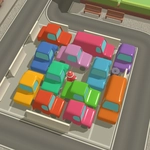
The first time I loaded this up I figured it'd be a breeze—just drag the car that's in the way, right? Then I moved the blue sedan forward, freed the red hatchback, and realized I'd pinned the only exit lane under three other cars that now had nowhere to go. That's the entire game in one moment. Parking Jam 3D gives you a grid of parked vehicles, some facing different directions, and you slide them forward or backward with your mouse. The goal is to get every car out without any of them colliding or getting stuck, and the difficulty sneaks up on you fast.
What starts as a five-car puzzle quickly becomes a maze of bumpers, pillars, and one-way paths. You'll need to think ahead—sometimes the obvious move is the one that blocks you three turns later. I kept restarting levels just to test whether reversing a truck first, even though it looked useless, would open up a chain of moves. It usually did. The 3D view adds a nice tactile feel; you're not just clicking abstract blocks, you're actually shimmying a minivan around a tight corner.
There's no timer, no score pressure, just you and the traffic jam. That makes it surprisingly cozy for a puzzle game. If you like logic games that let you experiment and undo your own mistakes by simply dragging the car back, this one's a keeper. The controls are simple enough for anyone to pick up, but the later levels demand real spatial reasoning.
👥How to Play Parking Jam 3D - Parking
To move any car, click and drag it forward or backwards using your mouse.
✨Game Tips
Work backwards from the exit—figure out which car needs to leave last, then protect its path.
If a car only moves one direction at first, don't force it; clear the space behind it before touching it.
Try sliding every vehicle a tiny bit just to see which ones are actually locked by invisible boundaries.
When stuck, reverse your last three moves; the mistake is often a car you moved too early.
Remember that some cars can be parked sideways on purpose—read the arrows on the ground before dragging.
Don't chase the car closest to the exit; sometimes the far corner holds the key to unlocking the whole lot.
🔧FAQ
Q: Is Parking Jam 3D - Parking free to play?
A: Yes, it's completely free in your browser with no download or sign-up needed.
Q: Can I play Parking Jam 3D - Parking on mobile?
A: It works on most modern phones and tablets, though dragging cars is easiest with a mouse or touchscreen.
Q: Do I need to download anything to play?
A: No downloads. The game runs directly in your web browser as HTML5.
Q: How do I move the cars?
A: Click and drag a car forward or backward with your mouse. Some cars only move in one direction.
Q: What if I get stuck on a level?
A: Drag the car back to its original spot to undo a move, or restart the level entirely.
Q: Is there a timer or move limit?
A: No timer or move limit. You can take as long as you need to solve each puzzle.