
Parking Master: License Exam
Play Count0
Published2026-01-27
Supported DevicesPC + Mobile
CategoryAction & Fighting
Rating★★★★★5.0Rate this game
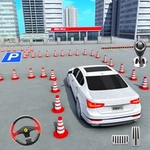
📝Parking Master: License Exam Overview
Think you can parallel park without taking out a traffic cone? This license exam won't hand you a pass unless you show real wheel control.
💬What is Parking Master: License Exam?
You roll into the lot with a beat-up sedan, three cones, and a timer already counting down. That's Parking Master: License Exam in a nutshell, and honestly, it's harder than it looks. The game doesn't care if you've played a hundred driving sims—it will still fail you for nudging a traffic cone. You accelerate with W, brake with S, steer with A and D, and on mobile you've got pedal buttons and swipe controls. The controls feel touchy on purpose, which is exactly the point of a license exam.
I spent at least twenty minutes stuck on the parallel parking stage. The trick isn't just lining up the car; it's knowing when to turn the wheel back before you hit the curb. The game gives you a top-down view and a rearview mirror that actually helps, but the timer adds a layer of panic. One stage asked me to reverse into a tight space between two SUVs without touching either bumper—my hands were sweating. The worst part? After finally nailing it, I celebrated too early and forgot to brake, rolling forward into a bollard. Instant fail. Don't do that.
What makes it addictive is the clean, no-frills design. Each level is a small puzzle disguised as a parking spot. You'll start with simple 90-degree nose-in parking, then graduate to angled spots, reverse parking, and eventually trickier stuff like parking on an incline or navigating narrow garage ramps. The physics feel slightly floaty but consistent, so you learn from mistakes. There's no story, no upgrades, no fluff—just you, the car, and a smug examiner voice saying "try again." I kept coming back because I refused to let a virtual driving test beat me. You probably will too.
👥How to Play Parking Master: License Exam
PC:
• W — accelerate
• S — brake
• A — steer left
• D — steer right
Smartphone / Tablet:
• Tap / hold the right pedal — accelerate
• Tap / hold the left pedal — brake
• Swipe left or r
✨Game Tips
Brake early and often; momentum will roll you past the line if you're not careful.
Use the top-down camera to line up your side mirrors with the parking spot's edge before turning.
For reverse parking, turn the wheel hard once your rear bumper clears the front car, then straighten quickly.
Ignore the timer on your first attempt—learn the layout, then restart and go for speed.
Tap the brake lightly instead of holding S to make micro-adjustments without stopping completely.
If you're on mobile, switch to swipe steering; it gives finer control than the tap pedals alone.
🔧FAQ
Q: Is Parking Master: License Exam free?
A: Yes, it's completely free to play in your browser with no hidden charges.
Q: Can I play Parking Master: License Exam on my phone?
A: Yes, the game supports touch controls, so you can play on any mobile browser.
Q: Do I need to download anything to play?
A: No, it runs directly in your web browser as an HTML5 game.
Q: What are the keyboard controls?
A: Use W to accelerate, S to brake, A to steer left, and D to steer right.
Q: Why do I keep failing the parallel parking stage?
A: Release the accelerator before turning and use short brake taps to adjust your angle.
Q: Is there a time limit for each level?
A: Yes, each parking challenge has a countdown; finish before it reaches zero.