
PAW Patrol Coloring Book html5
Play Count0
Published2021-08-25
Supported DevicesPC + Mobile
CategoryFun & Crazy
Rating★★★★★5.0Rate this game
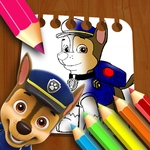
📝PAW Patrol Coloring Book html5 Overview
Grab your virtual crayon and splatter color across Chase, Skye, and the whole rescue crew in this no-mess coloring adventure.
💬What is PAW Patrol Coloring Book html5?
You know those coloring books where the markers bleed through the page? This is the exact opposite. PAW Patrol Coloring Book html5 gives you a set of digital pages featuring the pups, and you fill them with color by dragging your mouse. The controls are as simple as it gets: pick a color from the palette, click and drag across a section, and watch the white space turn into bright reds, blues, and yellows. I caught myself spending way too long on Marshall's fire truck because the red just looked so clean filling in the outline.
The game doesn't overcomplicate anything, which is exactly what a coloring book should do. There are multiple pages—Chase mid-bark, Skye flying, Rubble looking proud next to a construction site—and each one has thick, forgiving lines. If you drag outside an edge, nothing breaks; you can just pick the right color and paint over it. That forgiveness matters when you're playing with a younger sibling or just want to zone out for ten minutes. The mouse drag feels responsive on a laptop, and I'd imagine it's even more fun on a touchscreen, though I stuck with my trackpad.
What I like most is that it runs entirely in the browser. No download, no sign-up, no "watch an ad to unlock the purple crayon" nonsense. It's just the pups, some blank spaces, and a full rainbow of digital ink. For a quick brain break between classes or a way to keep a kid busy while you cook dinner, it does the job without pretending to be anything bigger. And let's be honest—nobody's too old for a little PAW Patrol coloring.
👥How to Play PAW Patrol Coloring Book html5
Use the Mouse
Drag to Coloring!
✨Game Tips
Drag slowly around tight corners like pup ears and badge edges to avoid spilling color outside the line.
Pick a base color first, fill the big areas, then go back for small details like eyes and collars.
If you make a mistake, just cover it with the correct color—no eraser needed.
Use the lightest shade in each area before adding darker tones to create a shaded effect.
Let the page load fully before you start dragging; the palette sometimes lags for a second.
Try coloring the sky pink or green once in a while—nothing's stopping you.
🔧FAQ
Q: Is PAW Patrol Coloring Book html5 free to play?
A: Yes, it's completely free in your browser with no hidden charges.
Q: Do I need to download or install anything?
A: No downloads needed. Just open the game page and start coloring.
Q: Can I play PAW Patrol Coloring Book html5 on my phone or tablet?
A: Yes, it works on mobile browsers. Touch and drag to color.
Q: What are the system requirements?
A: Any modern browser with HTML5 support, like Chrome, Edge, or Safari.
Q: Is there a way to save or print my finished coloring page?
A: Use your device's screenshot feature to capture the page. The game itself doesn't have a save button.
Q: Is this game appropriate for young children?
A: Absolutely, it's designed for kids with simple controls and no violence or reading required.