
Peppa and Friends Difference
Play Count0
Published2022-09-28
Supported DevicesPC + Mobile
CategoryArcade & Classic
Rating★★★★★5.0Rate this game
📝Peppa and Friends Difference Overview
Spot the sneaky changes hidden across Peppa's bright, busy scenes before the timer hits zero—your eyes will thank you later.
💬What is Peppa and Friends Difference?
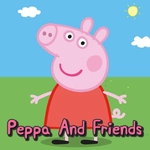
I have a soft spot for spot-the-difference games, and Peppa and Friends Difference hits that nostalgic itch without feeling like a lazy tie-in. You're given two nearly identical screenshots from Peppa's cheerful little universe. Your job is to click or tap the spots where they don't match. Each level has a timer, and missing a difference costs you a life or a few seconds. The early rounds are almost insultingly easy—George's dinosaur toy might be missing a tooth—but later scenes get genuinely devious.
I kept coming back because the difficulty curve feels fair. The differences aren't pixel-perfect hunts; they're more about noticing when a window is open in one image and closed in the other, or when a flower pot has moved two inches to the left. The cartoonish art style helps—bright colors and thick outlines make the changes pop once you see them, but they hide in plain sight until your brain catches up. The first time I missed a difference because Peppa's polka-dot dress had one extra dot, I actually laughed out loud.
This isn't just for kids. Yes, the Peppa branding will pull in younger players, but the later levels require genuine focus and a steady hand. Playing on mobile with touch is just as responsive as a mouse, which makes it a solid pick for a quick brain break between classes or meetings. Just don't blame me when you spend ten minutes staring at the same muddy puddle.
👥How to Play Peppa and Friends Difference
Use your mouse to play the game or tap on the screen!
✨Game Tips
Start by scanning the biggest shapes first—background buildings, tables, and chairs often hide changes better than characters.
If you're stuck, look for color swaps: Peppa's clothes, the sky, or toy colors can shift slightly.
The timer only pauses when you click a correct difference, so don't waste time guessing randomly—you'll lose points.
On mobile, use a stylus or your fingernail for more precise taps; finger taps can obscure the screen.
Turn off any blue-light filter or night mode before playing; the brighter the screen, the easier it is to spot subtle shading differences.
If a level feels impossible, take a screenshot and compare the two images side by side—cheating? Maybe, but it works.
🔧FAQ
Q: Do I need to download anything to play Peppa and Friends Difference?
A: No downloads needed. It runs right in your browser on any device with an internet connection.
Q: Is Peppa and Friends Difference free to play?
A: Yes, it's completely free. No hidden paywalls or in-game purchases.
Q: Can I play Peppa and Friends Difference on my phone?
A: Absolutely. The touch controls work smoothly on mobile and tablet screens.
Q: What age group is this game suitable for?
A: It's family-friendly and safe for all ages, but younger kids may need help spotting tougher differences.
Q: Does Peppa and Friends Difference need a mouse or keyboard?
A: A mouse is ideal on desktop, but on touch devices you can just tap the differences directly.
Q: Will my progress be saved if I close the game?
A: Progress depends on the site hosting it; most unblocked versions don't save between sessions.