
Pineapple Pen
Play Count0
Published2020-07-22
Supported DevicesPC
CategorySkill & Precision
Rating★★★★★5.0Rate this game
📝Pineapple Pen Overview
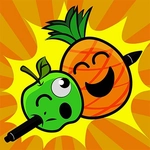
Stab a pen into a pineapple with one perfect click—sounds easy until the fruit starts moving, spinning, and dodging every throw.
💬What is Pineapple Pen?
Pineapple Pen strips aiming down to its stupidest, most satisfying core: a pen, a pineapple, and one mouse click. You don't need combos or storylines—just click to hurl the pen and hope it sticks. Early rounds are almost insultingly easy. Then the pineapple starts drifting. Then it spins. Then you realize you've been holding your breath for twenty straight throws.
I kept coming back because the failure feels personal. You'll swear you clicked dead center, but the pen clips a leaf and tumbles off-screen. The hitbox isn't huge, which is good—it makes every stuck pen feel earned. There's a rhythm to it: wait for the fruit to pause, flick your wrist, celebrate for half a second, then do it again. Some players try to spam clicks, but that only works until the speed ramps up. You need actual timing.
Controls are bare-bones: mouse to aim and click, and a keyboard shortcut to reset your aim quickly if your cursor drifts. It's the kind of game you open for two minutes and accidentally play for twenty. The meme factor (yes, it's based on that song) doesn't hurt, but the core loop would hold up even without it. If you enjoy twitchy precision challenges like Flappy Bird or darts, you'll feel right at home.
👥How to Play Pineapple Pen
Use Mouse To Play and Keyboard
✨Game Tips
Aim slightly above the pineapple's center when it's moving—the pen drops a bit with distance.
Don't spam click; wait for the bounce pattern to repeat, then throw on the same beat.
Keep your cursor steady near the fruit; large mouse movements throw off your timing.
Headshots on the pineapple's face score more than body or crown hits.
If the pen gets stuck in a weird angle, that's still a hit—take the points and move on.
Use the keyboard spacebar to reset your aim if your cursor drifts out of position.
🔧FAQ
Q: Is Pineapple Pen free to play?
A: Yes, it's completely free in your browser with no paid upgrades.
Q: Can I play Pineapple Pen on mobile?
A: Yes, the game works on mobile browsers using touch controls.
Q: Do I need to download or install anything?
A: No downloads needed—just open the game page and start playing.
Q: What are the controls for Pineapple Pen?
A: Use your mouse to aim and click to throw, or use keyboard shortcuts to reset.
Q: How do I score more points?
A: Hit the pineapple's center or face for bonus points and build streaks.
Q: Is Pineapple Pen suitable for kids?
A: Yes, it's a simple skill game with no violence or mature content.