
Pixel Art - Color by Numbers
Play Count0
Published2021-02-05
Supported DevicesPC
CategoryArcade & Classic
Rating★★★★★5.0Rate this game
📝Pixel Art - Color by Numbers Overview
Tap a numbered square and watch a muddled grid slowly bloom into a tiny masterpiece—just don't lose count.
💬What is Pixel Art - Color by Numbers?
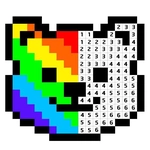
Pixel Art - Color by Numbers takes the childhood joy of paint-by-number kits and shrinks it to a grid of tiny squares. Each pixel has a number, each number has a color waiting in a palette below. You click a square and it fills instantly—there's a small, stupidly satisfying snap as the color locks in. I kept finding myself saying 'just one more row' until the whole picture emerged from the noise.
The controls are simple but have a hidden trick. Left-click to paint a single pixel. But if you press and hold for about two seconds, then drag, you'll paint a continuous line of pixels as long as you keep the button down. That's huge for big areas of sky or background that would otherwise take forever. It turns the grid from a tedious chore into a smooth, almost meditative scribble. Just don't drag too fast or you'll leave gaps and have to go back.
There's a nice range of images—animals, food, landscapes, little pixel characters. Nothing too complex, so it's perfect for zoning out during a break. No timers, no penalties, no fail state. You can stop and come back whenever. The only frustration? The numbers are small, so squinting at a phone might make you tap the wrong square. But once you get into the rhythm, it's hard to stop. It's weirdly calming, like sorting beads by color but with a picture at the end.
👥How to Play Pixel Art - Color by Numbers
Left click to draw a pixel, hold 2 seconds and drag to draw multiple pixels
✨Game Tips
• Hold the left mouse button for roughly two seconds before dragging—that's the multi-pixel trick and it saves a ton of time.
• Drag at a steady pace; moving too fast leaves blank tiles that break the image.
• Tackle the largest single-color region first to see the outline take shape quickly.
• If you're on mobile, use the desktop site or a stylus so long presses don't turn into scrolling.
• Don't hunt for each number in the palette—the colored key is sorted by value, so follow it row by row.
• Blue pixels tend to vanish into the background, so squint or enlarge the grid before filling the dark blues.
🔧FAQ
Q: Is Pixel Art - Color by Numbers free to play?
A: Yes, it's completely free in your browser—no paywalls or hidden fees.
Q: Do I need to download anything to play?
A: No download required. It runs on HTML5, so just open the page and start clicking.
Q: Can I play Pixel Art - Color by Numbers on my phone?
A: Yes, but a mouse or stylus works best because the hold-and-drag trick can trigger touch scrolling.
Q: What's the fastest way to fill large areas?
A: Hold left click for about 2 seconds, then drag across the grid to paint multiple connected pixels at once.
Q: Is the game timed or can I take breaks?
A: There's no timer, no score, and no fail state—you can stop at any moment and pick up later.
Q: Does it work offline?
A: You need an internet connection to load the page, but once it's open, some browsers will keep it running briefly offline.