
Pixel Shooter Zombie Multiplayer
Play Count0
Published2021-08-27
Supported DevicesPC
CategoryAction & Fighting
Rating★★★★★5.0Rate this game
📝Pixel Shooter Zombie Multiplayer Overview
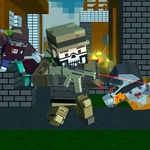
A blocky arena full of sprinting zombies, real teammates, and a scroll wheel full of guns — this pixel shooter turns survival into pure multiplayer chaos.
💬What is Pixel Shooter Zombie Multiplayer?
The spawn screen drops you into a blocky arena with nothing but a pistol and a prayer. Thirty seconds later, three zombies are chewing on your hitbox while a teammate named 'xX_Slayer_Xx' ignores your chat pleas and runs toward the armory. That's Pixel Shooter Zombie Multiplayer in a nutshell — chaotic, unfair, and weirdly addictive. The pixel art hides a surprisingly tight shooter: movement on WASD feels responsive, mouse aim is precise, and the scroll wheel weapon switching becomes second nature after a few rounds.
What sold me was the attachment system. Press Q or E to swap scopes, grips, and camo skins on the fly — a feature most free browser shooters skip entirely. You'll notice recoil differences immediately. The zombie AI isn't brain-dead either; they flank, they sprint in groups, and they punish campers. Multiplayer adds a layer of misery and hilarity: you can try to coordinate via Enter chat, but half the lobby is just spamming 'gg' after dying to a zombie that clipped through a wall. I kept coming back because every death felt fair-ish, and every kill streak made me feel like a pixelated John Wick.
Honestly, it's not polished. The menus are clunky, and the Tab screen is an eyesore. But for a free game that runs in any browser, it delivers more tension than many paid shooters. Grab a shotgun, stick with a teammate who actually responds, and pray the zombie horde doesn't notice you reloading.
👥How to Play Pixel Shooter Zombie Multiplayer
WASD - control character
Mouse = look around, shooting, change gun on scroll
Tab - menu
Q,E - attachments and camo gun
Enter - chat
✨Game Tips
Bind scroll wheel to your most comfortable finger early — weapon swapping mid-fight saves more lives than aiming.
Test Q and E attachments before matches; a red dot sight makes pixel zombies easier to track than iron sights.
Stick within line of sight of at least one teammate; lone wolves get swarmed fast.
Never reload in the open. Find cover, then hold down the trigger instead of tapping for longer bursts.
Press Tab periodically to check your score and respawn timer — it also reveals campers on the enemy team.
Use chat with Enter to call out horde directions; a simple 'left side' can turn a losing round.
🔧FAQ
Q: Is Pixel Shooter Zombie Multiplayer free to play?
A: Yes, it's completely free in your browser with no paywalls or hidden fees.
Q: Do I need to download or install anything?
A: No downloads. The game runs on HTML5, so just open the page and start shooting.
Q: Can I play Pixel Shooter Zombie Multiplayer on mobile?
A: The game is optimized for keyboard and mouse. Touch controls aren't supported, so mobile play is limited.
Q: How do I switch weapons in the game?
A: Use the scroll wheel on your mouse to cycle through guns. Q and E add attachments and camo.
Q: Is there a single-player mode?
A: Multiplayer is the main mode. You'll always spawn with other players, though bots fill empty slots.
Q: Can I play with my friends?
A: Yes, if you share the same room code or server link, you can join the same match together.