
Pixel Vehicle wars Shooting War And Turbo Drifting
Play Count0
Published2020-05-22
Supported DevicesPC
CategoryAction & Fighting
Rating★★★★★5.0Rate this game
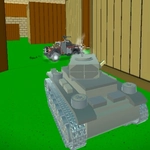
📝Pixel Vehicle wars Shooting War And Turbo Drifting Overview
Tear through blocky arenas in a heavily armed pixel car, drifting past crossfire and unloading bullets into anything that moves.
💬What is Pixel Vehicle wars Shooting War And Turbo Drifting?
Pixel Vehicle wars Shooting War And Turbo Drifting drops you into a blocky, low-poly arena where every other car wants you dead. You drive with WASD, aim with the mouse, and shoot whatever crosses your crosshair. That sounds simple. It isn’t. The first time I tried to drift around a corner while tracking an enemy, I slid straight into a wall and got shredded from behind. The trick is feathering the throttle mid-slide and keeping your turret pointed the opposite direction of your momentum — once that clicks, you stop being a target and start being the one causing the pileups.
There’s no tutorial, no story, no hand-holding. Just you, a pixel car with a gun, and a lobby full of strangers doing donuts and spraying bullets. Some players hang back and snipe; others charge in and ram. I learned to listen for engine pitch changes because a sudden roar usually means someone’s about to t-bone you. The weapons feel punchy enough — not super polished, but satisfying — and the drifting gives you just enough style to make near-misses feel intentional.
It’s the kind of game you open for five minutes and end up playing for an hour. The browser version loads fast, works fine on a keyboard, and doesn’t ask for anything. If you want a quick, chaotic car combat fix with zero setup, this one does the job.
👥How to Play Pixel Vehicle wars Shooting War And Turbo Drifting
wasd - drive and move, use mouse to look around and shooting
✨Game Tips
Feather the throttle mid-drift to keep your nose pointed at enemies instead of spinning out.
Strafe with A and D while aiming with the mouse — don’t just drive straight at gunfire.
Use obstacles as cover when reloading; pixel cars pop fast once their armor drops.
Listen for engine sounds behind you — they often mean a ram is incoming.
Grab weapon pickups early, even if it means skipping a drift chain.
🔧FAQ
Q: Is Pixel Vehicle wars Shooting War And Turbo Drifting free?
A: Yes, it runs free in your browser with no payment walls.
Q: Can I play Pixel Vehicle wars Shooting War And Turbo Drifting on mobile?
A: The touch controls are rough; WASD and mouse work best on desktop.
Q: Do I need to download anything to play?
A: No downloads needed — just open the page and the game loads instantly.
Q: How do I drift in Pixel Vehicle wars Shooting War And Turbo Drifting?
A: Use WASD to steer hard and tap the handbrake or reverse to kick the rear out.
Q: Is there a single-player mode?
A: Mostly multiplayer arenas, but you can practice driving in empty lobbies.
Q: Why does my car keep spinning out?
A: Slow down before corners and ease off the throttle while drifting.