
PixelArt
Play Count0
Published2022-01-31
Supported DevicesPC + Mobile
CategoryFun & Crazy
Rating★★★★★5.0Rate this game
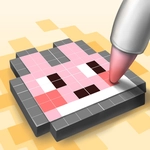
📝PixelArt Overview
Grab your mouse and turn a blank canvas into vibrant pixel art, one click at a time—no drawing skills needed, just patience and a steady hand.
💬What is PixelArt?
PixelArt is the kind of game that looks almost too simple at first—you click, a pixel appears, repeat. But there's a weird pull to it. I caught myself whispering "just one more row" at 1 a.m. as a flower slowly bloomed into view on a 32x32 grid. The game gives you a palette of colors on one side and a numbered pixel grid on the other. Each cell corresponds to a color, and you fill them in by clicking. No drag, no brush, just individual clicks. It's meditative in a way, but it'll also test your patience when you're three hundred pixels into a portrait and realize you used the wrong shade of blue twenty clicks back.
That's the beauty of it: there's no fail state, no timer, no enemies. You're just matching colors by eye and occasionally zooming in to see how the little squares snap together. The "aha" moment for me was finishing a tiny dinosaur and stepping back to see it actually looked like a dinosaur—suddenly the random clicks made sense. You can save your progress and come back later, which is a lifesaver for the bigger pieces that have thousands of cells. There's something oddly satisfying about watching a blank grid transform pixel by pixel into a recognizable image, like a digital cross-stitch.
If you've got a few minutes to kill or need a brain break between classes, this one's a solid pick. It won't blow your mind with action, but it'll quietly eat an hour if you let it. And yes, it works fine with just a mouse—though a touchscreen makes it even faster since you can tap-tap-tap with two thumbs. Perfect for mobile or desktop.
👥How to Play PixelArt
Click for draw!
✨Game Tips
Use the zoom feature if available; it stops you from misclicking on tiny grids.
Start with the smallest piece to get a feel for color placement before tackling a 50x50 monster.
Keep a reference image open in another tab if the grid doesn't show numbers—it'll save your sanity.
If you're on a laptop, enable tap-to-click to avoid finger cramps from constant clicking.
Save every few minutes. Nothing stings like losing 400 pixels to an accidental refresh.
🔧FAQ
Q: Is PixelArt free to play?
A: Yes, the game is completely free on this site with no hidden fees or premium locks.
Q: Can I play PixelArt on my phone?
A: Absolutely. It works in any modern mobile browser and supports touch, so tapping is even easier than clicking.
Q: Do I need to download or install anything?
A: No downloads needed. Just open the page in your browser and start clicking immediately.
Q: How do I save my artwork?
A: Your progress saves automatically in your browser's local storage as long as you don't clear your cache.
Q: What happens if I click the wrong color?
A: You can usually undo the last few clicks with a right-click or an undo button if the version includes one.
Q: Is PixelArt good for relaxation?
A: Many players use it as a stress reliever because there's no timer or pressure—just you and the grid.