
PixelCraft Animal School
Play Count0
Published2024-08-23
Supported DevicesPC + Mobile
CategoryAction & Fighting
Rating★★★★★5.0Rate this game
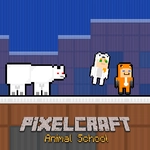
📝PixelCraft Animal School Overview
Grab a friend and two keyboards because PixelCraft Animal School turns a simple gold hunt into a frantic race against pixelated puzzles.
💬What is PixelCraft Animal School?
PixelCraft Animal School throws you and a buddy into a blocky, Minecraft-flavored world where the only goal is clear: grab every gold nugget scattered across each level and get both characters through the portal. Alex moves with WASD, Steve with the arrow keys, and that split-hand setup is exactly where the chaos starts. You think it'll be a simple left-right platformer, but the game quickly layers on moving blocks, cleverly placed gaps, and puzzles that demand one player act while the other waits.
I played this with my roommate on a single keyboard, and the first level was fine—we talked, we jumped, we got the gold. Then level three introduced a section where a sliding block kept knocking us both off a ledge. We died four times before I realized Steve could stand on a small pillar to block the block's path while Alex slipped under to grab a hidden nugget. That "aha" moment of realizing the game expects you to use both characters asymmetrically is what makes it stick. It's not a twin-stick shooter; it's more like a two-brained platformer where communication beats reflexes.
The pixel art is charmingly retro, and the animal school theme gives Alex and Steve a cute, slightly goofy makeover without losing that blocky charm. You can play on mobile too with touch controls, but I'd recommend a keyboard for two players—your fingers will thank you. Each level is short enough to keep you hitting restart, and the gold-to-portal loop has that "just one more try" pull. If you've got a friend nearby, this is a perfect lunch-break game.
👥How to Play PixelCraft Animal School
*Alex , Press WASD keys to move and jump.
*Steve , Press Arrow Keys keys to move and jump.
*Mobile Control Available
*Collect the gold and reach the portal safely.
✨Game Tips
Split the screen mentally: Alex handles left-side gold, Steve covers right, then regroup at the portal.
Talk to your partner constantly; call out when you're about to jump or need a block held.
On mobile, use landscape orientation so both thumb controls don't overlap.
If a level feels impossible, try standing still with one character for a second—sometimes the other player needs to trigger something first.
Don't rush the gold; the portal stays open once you've got all nuggets, so take your time on tricky jumps.
🔧FAQ
Q: Is PixelCraft Animal School free to play?
A: Yes, it's completely free in your browser—no hidden fees or premium unlocks.
Q: Can I play PixelCraft Animal School on mobile?
A: Absolutely. The game includes mobile touch controls, but two players on one phone can get cramped.
Q: Do I need to download anything to play?
A: No downloads required. Just open the game page in any modern browser and start playing HTML5.
Q: Can I play PixelCraft Animal School alone?
A: It's designed for two players on one keyboard, but you can control both characters if you're determined.
Q: What are the controls for PixelCraft Animal School?
A: Alex uses WASD to move and jump; Steve uses the arrow keys. On mobile, on-screen buttons appear.
Q: How do I win a level in PixelCraft Animal School?
A: Collect every gold nugget on the level, then guide both characters to the glowing portal safely.