
Plane Shooter
Play Count0
Published2023-07-31
Supported DevicesPC + Mobile
CategoryAction & Fighting
Rating★★★★★5.0Rate this game
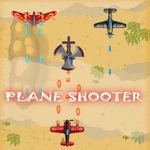
📝Plane Shooter Overview
Your screen fills with enemy fire as you weave through the bullet hell—how long can you keep that little plane alive?
💬What is Plane Shooter?
Plane Shooter is one of those pure arcade shooters that doesn't waste your time with menus. You've got a plane, a screen full of incoming fire, and one job: survive. Arrow keys move you in four directions, and if you're on desktop, you can also click and drag the plane with your mouse. On mobile, it's finger-drag all the way. That dual control scheme makes it surprisingly accessible—I found myself switching between keyboard for precise dodges and mouse for fast sweeps.
The enemies come in patterns. Some drift down slowly while others dive at you from the sides. You'll learn to read the bullet trajectories, but it's not just about dodging—you're shooting back automatically, I think, or maybe you just focus on moving. From the instructions it seems you only move, so the shooting might be automatic. That's an important detail: you focus on positioning, not aiming. It's like bullet-hell lite. I had a run where I was cornered by three streams of bullets and somehow threaded the gap by dragging the plane just a pixel to the left. That's the kind of moment that keeps you hitting restart.
Don't expect a story or upgrades—this is pure reflex arcade. It's the kind of game you open in a browser tab, play for five minutes, and realize twenty have passed. The visuals are simple but clean enough that you never lose track of your plane in the chaos. If you like old-school shooters like 1942 but don't want to deal with complex controls, this scratches that itch.
👥How to Play Plane Shooter
Use Left, Right, Up and Down Arrow keys to move Left, Right, Up and Down Respectively.
You can also drag the plane using mouse in any direction.
For mobile devices, use your finger to drag the plane.
✨Game Tips
Stick to the bottom third of the screen—enemies spawn from the top, so you'll have more time to react.
Try both control methods. Mouse drag feels faster for dodging, but arrow keys give finer control in tight bullet patterns.
Stay away from the screen edges—you'll trap yourself when multiple bullets converge.
Prioritize survival over kills. The shooting might be automatic, so focus on pathing, not chasing enemies.
On mobile, use a stylus or your finger but keep your hand steady—small drags are more accurate than big swipes.
If you're about to die, don't panic. Many near-misses come from calm micro-adjustments.
🔧FAQ
Q: Is Plane Shooter free to play?
A: Yes, completely free. No hidden fees or paywalls.
Q: Can I play Plane Shooter on my phone?
A: Yes, it works in mobile browsers. Drag your finger to move.
Q: Do I need to download anything to play Plane Shooter?
A: No, it runs in your browser. Just load the page and start.
Q: What are the controls for Plane Shooter?
A: Arrow keys or drag with mouse on desktop; drag with finger on mobile.
Q: Is Plane Shooter unblocked at school?
A: Usually yes, since it's hosted on an unblocked games site. But school filters vary.
Q: Does Plane Shooter have multiplayer?
A: No, it's a single-player arcade shooter.