
Platform Paint 3D
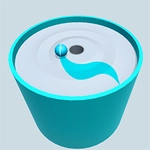
📝Platform Paint 3D Overview
Spin a 3D tower of platforms and paint each level to match the target color before the timer runs out — Platform Paint 3D turns simple swipes into a frantic color-matching scramble.
💬What is Platform Paint 3D?
Platform Paint 3D drops you in front of a spinning stack of 3D platforms, each one begging for a fresh coat of color. You don't walk or jump — you drag. Click and swipe across the surface to paint the whole layer in the target shade. Miss a spot and the level won't finish. Overpaint the wrong color? That's a reset. The core loop sounds stupidly simple, but once the stack starts spinning faster and multiple colors get thrown into the mix, it becomes a test of hand-eye coordination that had me cursing at my mouse.
What makes it click is the frustration-to-satisfaction ratio. I spent a solid ten minutes on one level where three adjacent platforms needed different colors and the spin direction kept flipping. The 'aha' moment came when I stopped chasing the moving parts and started painting one side ahead of the rotation — it's all about anticipating where the surface will be, not where it is. That tiny mental shift turned a messy drag-fest into a smooth flow, and it's exactly the kind of trick that separates a casual clicker from a score-chaser.
If you're on a break or bored during class, Platform Paint 3D fits the bill perfectly. It loads instantly, doesn't need a download, and the rounds are short enough to play between other stuff. The visuals are bright and clean — no clutter — and the 3D rotation gives it just enough depth to feel like you're handling an object rather than a flat image. Sure, it won't replace your main game, but as an unblocked quick fix, it's surprisingly sticky.
👥How to Play Platform Paint 3D
Use mouse to play the game.
✨Game Tips
Paint slightly ahead of the rotation so the surface meets your cursor instead of slipping away.
If you paint the wrong color, don't panic — just keep dragging until the layer resets to blank, then start over.
Short, quick swipes are more reliable than long continuous drags on fast-spinning platforms.
Memorize the color order on repeating levels; many tower layouts cycle through the same sequence.
Play with a mouse, not a trackpad — the precision matters when the spinner kicks up a gear.
🔧FAQ
Q: Is Platform Paint 3D free to play?
A: Yes, it's completely free and playable right in your browser.
Q: Can I play Platform Paint 3D on mobile?
A: It works on mobile browsers, but a mouse gives much better painting accuracy.
Q: Do I need to download anything?
A: No downloads or installs. Just open the game page and start playing.
Q: What if the game doesn't load?
A: Refresh the page or try a different browser. Sometimes school networks block certain assets.
Q: How do I restart a level?
A: Most levels reset automatically when you run out of time or paint a wrong color. If not, look for a restart icon.
Q: Is there a way to pause the spinning?
A: No pause for the tower spin — that's part of the challenge. You have to paint while it moves.