
Pokemon Coloring Book
Play Count0
Published2020-06-05
Supported DevicesPC + Mobile
CategoryArcade & Classic
Rating★★★★★5.0Rate this game
📝Pokemon Coloring Book Overview
Grab your virtual crayons and bring Pikachu, Bulbasaur, and the whole crew to life in this free coloring book.
💬What is Pokemon Coloring Book?
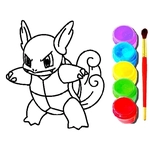
Pokemon Coloring Book is one of those quiet little games that sneaks up on you. I opened it expecting a basic flash-style time waster, but ten minutes later I was still carefully shading Charizard's tail flame with three different oranges. You get a stack of black-and-white Pokemon illustrations — think Pikachu, Eevee, maybe a legendary or two depending on the page — and a big palette of colors at the bottom. Click or tap a color, then click a section of the drawing. That's it. No timers, no scores, no way to lose. Some pages have large open areas, others have tiny details that make you wish for a zoom feature (you can usually zoom in a bit using pinch on mobile or scroll wheel on desktop).
The controls are so simple a toddler could handle them, but the game still feels satisfying for older kids and adults who just want to zone out for a few minutes. I keep coming back when I'm stressed because coloring is weirdly meditative. The line art is clean enough that you won't accidentally bleed over into a neighboring section too often — and when you do, the fill tool usually only colors the enclosed area, so mistakes aren't punishing. You can switch colors as many times as you like, and the results save in your browser if you close the tab and come back later. That's a small touch I appreciated.
If you're playing on a touchscreen, use your finger; on desktop, mouse works perfectly. There's no undo button on every version I've tried, so pick colors deliberately or just embrace the chaos. A few of the pages feature multiple Pokemon in one scene, which is great for testing color combos across different creatures. It's not going to replace Tears of the Kingdom, but for a free unblocked game during a study break, it absolutely delivers.
👥How to Play Pokemon Coloring Book
Mouse or tap to play.
✨Game Tips
Start with the largest sections first to get a feel for how the fill behaves on that page.
Use a reference image if you want accurate canon colors, but don't be afraid to make Pikachu purple.
On mobile, pinch to zoom in on tiny details like eyes, stripes, or tail tips.
Switch colors immediately if one feels off — there's no penalty for changing your mind.
Your work saves automatically in the same browser, so you can close the tab and come back later.
🔧FAQ
Q: Is Pokemon Coloring Book free to play?
A: Yes, the game is completely free and works right in your browser with no hidden fees.
Q: Can I play on my phone or tablet?
A: Absolutely, touch controls work great on mobile devices and pinch to zoom is supported on most screens.
Q: Do I need to download or install anything?
A: No downloads needed — just open the page and start coloring instantly, no plugins required.
Q: Is this game safe for young kids?
A: Yes, there's no violence or inappropriate content, only Pokemon drawings and a color palette.
Q: How do I color a section?
A: Tap or click a color from the palette, then tap or click inside any white section of the drawing to fill it.
Q: Does the game save my progress?
A: It saves automatically in your browser's local storage, so your finished pages will be there when you return.