
Police Car Simulator Game
Play Count0
Published2026-01-07
Supported DevicesPC + Mobile
CategoryAction & Fighting
Rating★★★★★5.0Rate this game
📝Police Car Simulator Game Overview
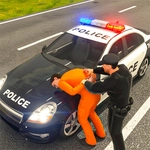
Chase down runaway suspects and weave through traffic in this high-speed police patrol sim.
💬What is Police Car Simulator Game?
Most browser police games give you a siren and a straight road. Police Car Simulator Game actually makes you drive like a cop on a call. I spent my first few minutes just weaving through traffic, getting a feel for the weight of the car — it's heavier than you'd expect, which means you can't just yank the wheel and pray. The WASD or arrow key controls are simple, but the real skill is in throttle management. Hold W too long and you'll overshoot corners; tap it lightly and you can thread between a bus and a taxi without losing speed.
The missions are straightforward: chase down the marked suspect, don't wreck your own cruiser, and bring them to a stop. My favorite moment was a pursuit that started near an intersection — I saw the suspect cut across a park, so I followed over the curb. The suspension dipped, the camera shook, and for a second I thought I'd lose control. Instead I clipped the suspect's rear quarter panel and spun him out. That's the kind of payoff you want.
There's not a ton of story or upgrades, but the sandbox patrol mode gives you room to just drive. If you like arcade driving with police lights flashing and zero pressure to be perfect, this one's a solid lunchbreak game. Just remember: the mouse is only for menu buttons, so keep your left hand on WASD and your right hand free for a quick screenshot when you pull off a clean pit maneuver.
👥How to Play Police Car Simulator Game
W / Arrow Up → Move Front
S / Arrow Down → Move Back
A / Arrow Left → Move Left
D / Arrow Right → Move Right
- To click any button use mouse
✨Game Tips
Feather the W key around tight corners instead of holding it full throttle.
Use side contact to spin out a suspect's car rather than rear-ending it.
Keep an eye on traffic ahead; AI cars don't always brake for you.
If you overshoot a turn, reverse is faster than trying to loop around.
The mouse only works for buttons, so don't try to click on the road.
Practice in free roam before taking on a chase mission.
🔧FAQ
Q: Is Police Car Simulator Game free?
A: Yes, it's completely free to play in your browser.
Q: Do I need to download anything to play?
A: No downloads are required. The game runs on HTML5 directly in your browser.
Q: Can I play Police Car Simulator Game on mobile?
A: It works in mobile browsers, but the on-screen touch controls are less precise than a keyboard.
Q: What are the controls for Police Car Simulator Game?
A: Use WASD or arrow keys to drive. Click any button with your mouse.
Q: Can I play this at school or work?
A: Usually yes, as long as the website hosting the game isn't blocked by your network.
Q: How do I restart a mission?
A: Use the in-game menu to restart or simply refresh the page.